๐ŸŽ‰ New: Top 75 PHP Interview Questions for 2026 โ€” Free for all learners

What Salary Does a PHP Developer Earn in 2026? Complete Salary Guide for Beginners and Experts

PHP remains one of the most popular server-side programming languages in the world. From small business websites to large enterprise applications, PHP powers millions of websites globally, including popular platforms like WordPress, Magento, and Laravel-based applications. Because of this massive demand, PHP developers continue to enjoy excellent career opportunities and competitive salaries.

If you are planning to become a PHP developer or are already working in the field, one of the biggest questions you may have is:

โ€œWhat salary does a PHP developer earn?โ€

In this detailed guide, we will explore PHP developer salaries in India and worldwide, factors that affect income, salary by experience level, freelancer earnings, remote job opportunities, and tips to increase your salary in 2026.


What Is a PHP Developer?

A PHP developer is a software programmer who specializes in building dynamic websites, web applications, APIs, CMS platforms, and backend systems using PHP.

PHP developers commonly work with:

  • Laravel
  • CodeIgniter
  • WordPress
  • Symfony
  • MySQL
  • REST APIs
  • JavaScript
  • HTML/CSS
  • Git & GitHub

Today, PHP is used in:

  • E-commerce websites
  • Blogging platforms
  • CRM software
  • SaaS applications
  • Business portals
  • Custom web applications

Average PHP Developer Salary in India (2026)

The average salary of a PHP developer in India depends on experience, skills, city, and company type.

Here is a rough estimate:

Experience LevelAverage Annual Salary
Fresher (0โ€“1 year)โ‚น2.5 LPA โ€“ โ‚น4 LPA
Junior PHP Developerโ‚น4 LPA โ€“ โ‚น6 LPA
Mid-Level Developerโ‚น6 LPA โ€“ โ‚น12 LPA
Senior PHP Developerโ‚น12 LPA โ€“ โ‚น20 LPA
PHP Tech Leadโ‚น20 LPA โ€“ โ‚น35 LPA+

Many startups and software companies are actively hiring Laravel and WordPress developers because PHP remains affordable, scalable, and fast for web development.


PHP Developer Salary in Different Indian Cities

Salary also varies depending on location.

PHP Developer Salary in Bangalore

Bangalore offers some of the highest salaries because of its huge tech industry.

Average Salary:

  • โ‚น5 LPA โ€“ โ‚น18 LPA

PHP Developer Salary in Hyderabad

Hyderabad has rapidly growing IT companies and startups.

Average Salary:

  • โ‚น4.5 LPA โ€“ โ‚น15 LPA

PHP Developer Salary in Pune

Pune is popular for software development companies and outsourcing firms.

Average Salary:

  • โ‚น4 LPA โ€“ โ‚น14 LPA

PHP Developer Salary in Delhi NCR

Large enterprises and agencies create strong demand.

Average Salary:

  • โ‚น4 LPA โ€“ โ‚น16 LPA

PHP Developer Salary in Jaipur and Smaller Cities

Smaller cities offer lower salaries initially but remote work is changing this trend.

Average Salary:

  • โ‚น2.5 LPA โ€“ โ‚น8 LPA

PHP Developer Salary Worldwide

PHP developers are also in high demand internationally.

CountryAverage Annual Salary
United States$70,000 โ€“ $120,000
CanadaCAD 65,000 โ€“ CAD 100,000
United Kingdomยฃ40,000 โ€“ ยฃ75,000
Germanyโ‚ฌ50,000 โ€“ โ‚ฌ90,000
AustraliaAUD 80,000 โ€“ AUD 130,000

Remote jobs now allow Indian PHP developers to earn international salaries while working from home.


Salary Based on PHP Framework

Your framework expertise strongly affects your salary.

Laravel Developer Salary

Laravel is currently the most in-demand PHP framework.

Average Salary:

  • โ‚น5 LPA โ€“ โ‚น20 LPA

Laravel developers are highly valued because Laravel simplifies modern web application development.

WordPress PHP Developer Salary

WordPress powers over 40% of websites globally.

Average Salary:

  • โ‚น3 LPA โ€“ โ‚น12 LPA

Experienced WordPress plugin and theme developers can earn much more as freelancers.

CodeIgniter Developer Salary

CodeIgniter remains popular in legacy systems and smaller projects.

Average Salary:

  • โ‚น3 LPA โ€“ โ‚น10 LPA

Freelancer PHP Developer Earnings

Freelancing can sometimes generate higher income than full-time jobs.

Freelance PHP developers can earn through:

  • Website development
  • Bug fixing
  • API integration
  • WordPress customization
  • Laravel projects
  • Maintenance services

Beginner Freelancer Earnings

  • โ‚น20,000 โ€“ โ‚น50,000 per month

Experienced Freelancer Earnings

  • โ‚น1 lakh โ€“ โ‚น5 lakh+ per month

Top freelancers working with international clients often charge:

  • $25โ€“$100 per hour

Remote PHP Developer Salary

Remote work has completely changed the software industry.

Remote PHP developers can now work for:

  • US startups
  • European agencies
  • SaaS companies
  • International clients

Average Remote Salary:

  • โ‚น8 LPA โ€“ โ‚น40 LPA+

Skilled developers with strong communication skills and portfolio websites earn significantly higher salaries remotely.


Factors That Affect PHP Developer Salary

Several factors determine how much a PHP developer earns.

1. Experience

More experience usually means higher salary.

2. Framework Knowledge

Laravel, Symfony, and modern PHP architecture skills increase demand.

3. Database Skills

Knowledge of:

  • MySQL
  • PostgreSQL
  • MongoDB

can increase your value.

4. API Development

REST API and third-party integrations are highly demanded.

5. Frontend Knowledge

Developers who know:

  • React
  • Vue.js
  • JavaScript

often receive better packages.

6. Cloud & DevOps Skills

AWS, Docker, CI/CD, and server management improve salary opportunities.

7. Communication Skills

Good English and communication skills are important for remote jobs.


Is PHP Still a Good Career in 2026?

Yes, absolutely.

Despite competition from newer technologies, PHP remains extremely important because:

  • WordPress still dominates the internet
  • Laravel is growing rapidly
  • Millions of businesses rely on PHP systems
  • PHP hosting is affordable
  • Large legacy applications need maintenance

Companies continue hiring skilled PHP developers globally.


How to Increase Your PHP Developer Salary

Here are practical ways to boost your income:

Learn Laravel Deeply

Master:

  • Authentication
  • Queues
  • APIs
  • Eloquent ORM
  • Testing

Build Real Projects

Portfolio projects help attract recruiters and freelance clients.

Learn Modern JavaScript

React or Vue.js combined with PHP creates full-stack opportunities.

Contribute to GitHub

Open-source contributions improve credibility.

Learn System Design

Senior-level architecture knowledge increases salary significantly.

Improve Communication

Remote international jobs require professional communication skills.


Best Career Paths for PHP Developers

PHP developers can grow into:

  • Full Stack Developer
  • Backend Engineer
  • Laravel Expert
  • WordPress Expert
  • Technical Lead
  • Software Architect
  • DevOps Engineer
  • Freelance Consultant

Many successful entrepreneurs also start web agencies using PHP technologies.


Future of PHP Developers

The future remains strong because:

  • Businesses still need websites
  • E-commerce continues growing
  • SaaS platforms rely on backend systems
  • WordPress ecosystem keeps expanding
  • Laravel adoption is increasing worldwide

PHP 8+ has also improved performance significantly, making PHP faster and more modern.


Final Thoughts

So, what salary does a PHP developer earn?

The answer depends on skills, experience, and specialization. Beginners may start with โ‚น2.5โ€“4 LPA, while experienced PHP developers can earn โ‚น20 LPA or even more through remote work and freelancing.

If you continuously improve your skills in Laravel, APIs, cloud technologies, and modern web development, PHP can provide an excellent long-term career with strong earning potential.

Whether you want a stable software job, freelancing freedom, or international remote opportunities, PHP development remains one of the most practical and rewarding career choices in 2026.

PHP developer salary, PHP developer salary in India, PHP developer earnings, Laravel developer salary, WordPress developer salary, PHP salary 2026, fresher PHP developer salary, senior PHP developer salary, remote PHP developer jobs, freelance PHP developer income, PHP career guide, backend developer salary, PHP jobs India, Laravel jobs salary, PHP programmer salary, full stack PHP developer salary, PHP web developer salary, software developer salary India, PHP freelancer earnings, PHP developer career


Frequently Asked Questions (FAQs)

Is PHP development a good career?

Yes. PHP remains highly relevant because millions of websites and applications still use PHP frameworks and CMS platforms.

Which PHP framework pays the highest salary?

Laravel developers generally earn the highest salaries among PHP developers.

Can PHP developers work remotely?

Yes. Remote PHP jobs are growing rapidly worldwide.

How much does a fresher PHP developer earn?

Freshers typically earn between โ‚น2.5 LPA and โ‚น4 LPA in India.

Can PHP developers earn in dollars?

Yes. Freelancers and remote developers working with international clients can earn in USD or other foreign currencies.

Is WordPress development profitable?

Yes. WordPress development is highly profitable for freelancers and agencies due to massive global demand.

Related Article
Fatal error: Using $this when not in object context but everything looks fine

Fatal Error: Using $this when Not in Object Context When working with PHP, you may encounter the following fatal error: Read more

How to Check if a PHP Array is Associative or Sequential

How to Check if a PHP Array is Associative or Sequential In PHP, arrays are one of the most versatile Read more

Effective Resume Writing Tips | How to Write a Professional Resume That Gets You Hired

Effective Resume Writing โ€“ The Complete Guide to Crafting a Winning Resume Your resume is the first impression you make Read more

Who is Who in Computer Science โ€“ Famous Computer Scientists, Innovators & Tech Pioneers

Who is Who in Computer Science The evolution of computer science has been driven by extraordinary individuals whose inventions, theories, Read more

Effective Resume Writing โ€“ How to Create a Powerful Resume That Gets You Hired

Your resume is your personal marketing tool โ€” the first impression you create before an interview. A powerfully written, well-formatted, Read more

Computer Glossary โ€” A to Z of Computer Terms

Authoritative, educational definitions and concise technical explanations for students, developers and IT professionals. Jump to: ABCDEFGHIJKLMNOPQRSTUVWXYZ Related sections on phponline.in: Read more

HR Interview Questions โ€“ Complete Guide for Candidates

An interview is one of the most important steps in the recruitment process. Itโ€™s a formal meeting where employers assess Read more

Role-Play Interview Questions and Answers

Role-Play Interview Questions โ€“ The Ultimate HR Guide Role-play interviews are a dynamic and practical way for recruiters to evaluate Read more

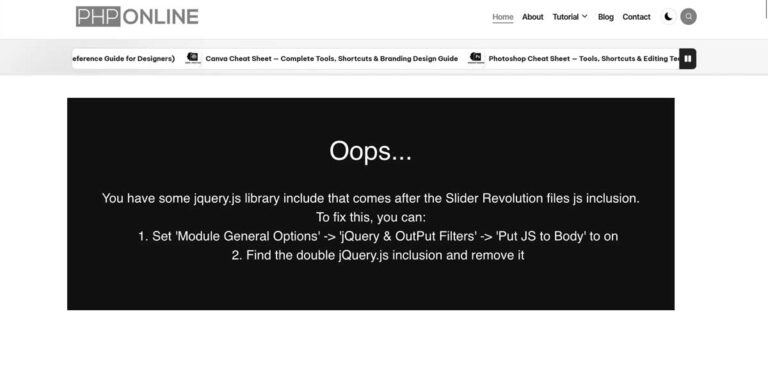
how to fix “You have some jquery.js library include that comes after the Slider Revolution files js inclusion.”

That error message

“You have some jquery.js library include that comes after the Slider Revolution files js inclusion.
To fix this, you can:
ย ย ย  1. Set ‘Module General Options’ -> ‘Advanced’ -> ‘jQuery & OutPut Filters’ -> ‘Put JS to Body’ to on
ย ย ย  2. Find the double jQuery.js inclusion and remove it”

comes from Slider Revolution (a popular WordPress slider plugin). It means that youโ€™re loading jQuery twice โ€” once before the Slider Revolution scripts (correct), and another time after it (wrong). This breaks the sliderโ€™s JavaScript dependencies.

Hereโ€™s how to fix it ๐Ÿ‘‡

Option 1: Use Slider Revolution Settings

  1. Go to your WordPress Dashboard.
  2. Navigate to
    Slider Revolution โ†’ Module General Options โ†’ Advanced โ†’ jQuery & Output Filters.
  3. Turn โ€œPut JS to Bodyโ€ON.
    • This ensures Slider Revolution JS loads after jQuery.
  4. Save the module and clear your cache.

Option 2: Remove Duplicate jQuery Includes

You may have another jQuery file being loaded by:

  • Your themeโ€™s header.php or footer.php
  • A plugin that also includes jQuery manually
  • A custom script enqueue in functions.php

To check and fix:

  1. In your WordPress dashboard, go to Appearance โ†’ Theme File Editor โ†’ header.php (or use FTP).
  2. Search for lines like: <script src=”https://code.jquery.com/jquery.js”></script> or wp_enqueue_script(‘jquery’);
  3. You only need one wp_enqueue_script('jquery') โ€” WordPress already loads it by default.
  4. Remove any manually added <script src="jquery.js"> lines that come after the Slider Revolution script.

Bonus Tip

To prevent this in the future:

  • Use WordPressโ€™ built-in jQuery by enqueuing it properly in your theme: function mytheme_enqueue_scripts() {
    wp_enqueue_script(‘jquery’);
    }
    add_action(‘wp_enqueue_scripts’, ‘mytheme_enqueue_scripts’);
  • Avoid adding <script> tags manually in header/footer unless absolutely necessary.
Related Article
Learn How to Fix WordPress Search Not Working (3+ Major Issues Resolved)

Are you looking to solve WordPress search issues on your website? Troubleshooting WordPress search issues may be difficult. This is Read more

How to Fix WordPress\’s White Screen of Death issue

Don\'t be alarmed if you get a WordPress error message or a white screen. Someone has most certainly seen the Read more

WordPress Installation

WordPress Installation Procedures Get the package at http://www.wordpress.org. Open your root web server and install WordPress. When you extract it, Read more

How to Customize WordPress Site

Customize Your WordPress Site Navigate to http://localhost/thedemostore/wp - admin. You should get something like this: admin is the user name. Read more

About WordPress Post

What exactly is a WordPress Post? How to Create and Update a WordPress Post? A CMS can have various types Read more

Image Shared on WordPressย to Facebook Not Coming Up? Here\’s what to do.

  When you share your blog posts or web pages on Facebook, the picture might not show up the way Read more

What are WordPress wp_head & wp_footer functions

The wp_head and wp_footer methods are two important things to add to a WordPress theme. \"Action hooks\" are used to Read more

How to fix There was an error trying to send your message. Please try again later.

You make contact forms to make it easy for your audience to get in touch with you. Whether you use Read more

Visual Composer (WPBakery) tabs issue when linking directly to an inner tab (like #phponline) using a URL anchor

this is a common Visual Composer (WPBakery) tabs issue when linking directly to an inner tab (like #phponline) using a URL anchor.

Letโ€™s break it down and fix it step-by-step ๐Ÿ‘‡


Why it happens

Visual Composer (VC) tabs rely on JavaScript initialization that runs after page load, and it only activates the first tab by default (the one with vc_active).

When you open a link like:

https://phponline.in/keys/#phponline

The page loads fine, but VCโ€™s JS doesnโ€™t โ€œlistenโ€ to the hash (#phponline) โ€” so it keeps showing the first tab instead of activating the one in the URL.


Fix Options

Option 1: Add small JavaScript to auto-switch tab from URL hash

Add this custom JS snippet in your site footer (or โ€œCustom JSโ€ area if your theme/VC has one):

jQuery(document).ready(function($) {
var hash = window.location.hash;
if (hash) {
var $tabLink = $('a[href="' + hash + '"]');
if ($tabLink.length) {
// Remove active classes from all tabs and content
$('.vc_tta-tab, .vc_tta-panel').removeClass('vc_active'); // Activate the clicked tab
$tabLink.parent('.vc_tta-tab').addClass('vc_active');
$(hash).addClass('vc_active'); // Scroll to the tab if needed
$('html, body').animate({ scrollTop: $(hash).offset().top - 100 }, 500);
}
}
});

๐Ÿ”น Where to place it:

  • Inside Appearance โ†’ Customize โ†’ Additional CSS/JS โ†’ Custom JS
  • OR inside your themeโ€™s footer before </body>
  • OR use a plugin like Simple Custom CSS and JS or Code Snippets.

Option 2: Use vc_tta-tabs built-in JS trigger

If the above doesnโ€™t fully work, you can call VCโ€™s native API after the tab init:

jQuery(window).on('load', function() {
var hash = window.location.hash;
if (hash && jQuery('a[href="' + hash + '"]').length) {
jQuery('a[href="' + hash + '"]').trigger('click');
}
});

This forces VCโ€™s own event system to โ€œclickโ€ the correct tab after the page fully loads.


Option 3: Fix links manually (if you can edit them)

Instead of #phponline, use the VC format:

https://phponline.in/keys/#vc_tta-tab-<ID>

โ€ฆbut this is usually less reliable because IDs can change when you edit the page.


Extra Tip

If you use caching or minification (like WP Rocket or Autoptimize), ensure the script isnโ€™t deferred โ€” otherwise, it might run before VC tabs finish initializing.

Related Article
Learn How to Fix WordPress Search Not Working (3+ Major Issues Resolved)

Are you looking to solve WordPress search issues on your website? Troubleshooting WordPress search issues may be difficult. This is Read more

How to Fix WordPress\’s White Screen of Death issue

Don\'t be alarmed if you get a WordPress error message or a white screen. Someone has most certainly seen the Read more

WordPress Installation

WordPress Installation Procedures Get the package at http://www.wordpress.org. Open your root web server and install WordPress. When you extract it, Read more

How to Customize WordPress Site

Customize Your WordPress Site Navigate to http://localhost/thedemostore/wp - admin. You should get something like this: admin is the user name. Read more

About WordPress Post

What exactly is a WordPress Post? How to Create and Update a WordPress Post? A CMS can have various types Read more

Image Shared on WordPressย to Facebook Not Coming Up? Here\’s what to do.

  When you share your blog posts or web pages on Facebook, the picture might not show up the way Read more

What are WordPress wp_head & wp_footer functions

The wp_head and wp_footer methods are two important things to add to a WordPress theme. \"Action hooks\" are used to Read more

How to fix There was an error trying to send your message. Please try again later.

You make contact forms to make it easy for your audience to get in touch with you. Whether you use Read more

[your-email] ! Unsafe email config is used without sufficient protection.

[your-email] ! Unsafe email config is used without sufficient protection.

that warning is not about your message text ๐Ÿ‘
Itโ€™s a Contact Form 7 security warning and very common. Hereโ€™s what it means and how to fix it properly.


โ— Why youโ€™re seeing this warning

You have this in Mail (2) โ†’ To:

[your-email]

CF7 flags this as unsafe because emails are being sent directly to user-input email addresses without verification. This can be abused for spam if not protected.


CORRECT & SAFE WAY (Recommended)

Step 1: Keep To as [your-email]

Thatโ€™s fine โ€” but you must add Additional Headers.

Step 2: Add this in Additional Headers

Paste exactly this:

Reply-To: [your-email]

โœ” This tells CF7 the email is intentional
โœ” Warning usually disappears
โœ” Improves email deliverability


BEST PRACTICE SETUP (Industry Standard)

Mail (2) settings should be:

To

[your-email]

From

SEO Tool King <noreply@seotoolking.com>

Additional Headers

Reply-To: noreply@seotoolking.com

๐Ÿ‘‰ This makes it clear the email is system-generated and safe.


EXTRA STRONG FIX (If warning still shows)

Enable one of these:

  • Contact Form 7 โ†’ reCAPTCHA
  • Or use Flamingo plugin
  • Or install an SMTP plugin (VERY recommended)

Best SMTP plugins:

  • WP Mail SMTP
  • FluentSMTP
  • Post SMTP Mailer

SMTP = no warnings + emails wonโ€™t land in spam.


Quick Fix

Add this line and youโ€™re good:

Reply-To: [your-email]
Related Article
Learn How to Fix WordPress Search Not Working (3+ Major Issues Resolved)

Are you looking to solve WordPress search issues on your website? Troubleshooting WordPress search issues may be difficult. This is Read more

How to Fix WordPress\’s White Screen of Death issue

Don\'t be alarmed if you get a WordPress error message or a white screen. Someone has most certainly seen the Read more

WordPress Installation

WordPress Installation Procedures Get the package at http://www.wordpress.org. Open your root web server and install WordPress. When you extract it, Read more

How to Customize WordPress Site

Customize Your WordPress Site Navigate to http://localhost/thedemostore/wp - admin. You should get something like this: admin is the user name. Read more

About WordPress Post

What exactly is a WordPress Post? How to Create and Update a WordPress Post? A CMS can have various types Read more

Image Shared on WordPressย to Facebook Not Coming Up? Here\’s what to do.

  When you share your blog posts or web pages on Facebook, the picture might not show up the way Read more

What are WordPress wp_head & wp_footer functions

The wp_head and wp_footer methods are two important things to add to a WordPress theme. \"Action hooks\" are used to Read more

How to fix There was an error trying to send your message. Please try again later.

You make contact forms to make it easy for your audience to get in touch with you. Whether you use Read more

We are currently paying for PHP Extended Support because the site is running an outdated PHP version. how to fix it

Youโ€™re basically paying extra because your site is running an end-of-life PHP version (like PHP 5.x, 7.0โ€“7.3, etc.), and your hosting provider is charging for โ€œExtended Supportโ€ to keep it secure.

The real fix = upgrade your site to a supported PHP version (usually PHP 8.1โ€“8.3).

Hereโ€™s a clear, practical step-by-step plan ๐Ÿ‘‡


Step-by-Step Fix

1. Check Current PHP Version

  • In your hosting panel (cPanel / Plesk):
    • Look for โ€œPHP Versionโ€ or โ€œMultiPHP Managerโ€
  • Or create a file: <?php phpinfo(); ?>
  • Open it in browser โ†’ shows current version

2. Take Full Backup (IMPORTANT)

Before doing anything:

  • Backup files + database
  • Use:
    • cPanel Backup
    • Plugin (if WordPress): UpdraftPlus / All-in-One WP Migration

3. Check Compatibility

Outdated PHP usually breaks because of:

  • Old themes
  • Old plugins
  • Custom PHP code

If WordPress:

  • Go to Dashboard โ†’ Updates
  • Update:
    • WordPress core
    • Themes
    • Plugins

You can also use:

  • Plugin: PHP Compatibility Checker

4. Test in Staging (Best Practice)

  • Create a staging site (many hosts provide this)
  • Change PHP version there first
  • Check:
    • Website loading
    • Forms
    • Admin panel
    • Payment gateways (if any)

5. Upgrade PHP Version

In hosting panel:

  • Switch from old version โ†’ PHP 8.1 or 8.2
  • Save changes

6. Fix Errors (if site breaks)

Common issues:

  • Deprecated functions
  • Old plugins/themes

Fix options:

  • Update plugin/theme
  • Replace outdated plugins
  • Fix custom code (example): // OLD
    mysql_query()// NEW
    mysqli_query() or PDO

7. Remove Extended Support

Once stable:

  • Contact hosting support
  • Ask them to:
    ๐Ÿ‘‰ Disable PHP Extended Support charges

Pro Tips

  • PHP 8.2 is currently a safe choice
  • Avoid jumping directly from very old versions (like 5.x โ†’ 8.2) without testing
  • If site is very old, consider:
    ๐Ÿ‘‰ rebuilding or redesigning instead of patching

Simple Summary

Youโ€™re paying because:
๐Ÿ‘‰ Your PHP version is outdated

To fix:
๐Ÿ‘‰ Update site โ†’ Upgrade PHP โ†’ Fix compatibility โ†’ Remove extra charges

Related Article
Learn How to Fix WordPress Search Not Working (3+ Major Issues Resolved)

Are you looking to solve WordPress search issues on your website? Troubleshooting WordPress search issues may be difficult. This is Read more

How to Fix WordPress\’s White Screen of Death issue

Don\'t be alarmed if you get a WordPress error message or a white screen. Someone has most certainly seen the Read more

WordPress Installation

WordPress Installation Procedures Get the package at http://www.wordpress.org. Open your root web server and install WordPress. When you extract it, Read more

How to Customize WordPress Site

Customize Your WordPress Site Navigate to http://localhost/thedemostore/wp - admin. You should get something like this: admin is the user name. Read more

About WordPress Post

What exactly is a WordPress Post? How to Create and Update a WordPress Post? A CMS can have various types Read more

Image Shared on WordPressย to Facebook Not Coming Up? Here\’s what to do.

  When you share your blog posts or web pages on Facebook, the picture might not show up the way Read more

What are WordPress wp_head & wp_footer functions

The wp_head and wp_footer methods are two important things to add to a WordPress theme. \"Action hooks\" are used to Read more

How to fix There was an error trying to send your message. Please try again later.

You make contact forms to make it easy for your audience to get in touch with you. Whether you use Read more

How to fix The error โ€œUpdating failed. The response is not a valid JSON response.โ€ in WordPress

The error โ€œUpdating failed. The response is not a valid JSON response.โ€ in WordPress usually means the editor cannot communicate correctly with your server. This is very common and usually caused by permalinks, plugins, security rules, or server configuration.

Follow these fixes in order (most cases solved in Step 1 or 2).


Refresh Permalinks (Most Common Fix)

  1. Go to Dashboard โ†’ Settings โ†’ Permalinks
  2. Click Save Changes (without changing anything)

This rebuilds WordPress rewrite rules and fixes many JSON errors.


Check Site URL (HTTP vs HTTPS)

Sometimes the editor sends requests to a different URL.

Go to:

Settings โ†’ General

Make sure both are the same:

WordPress Address (URL)
Site Address (URL)

Example (correct):

https://moralstory.in

NOT:

http://moralstory.in
https://moralstory.in

Disable Security / Cache Plugins

Temporarily disable plugins like:

  • Wordfence
  • LiteSpeed Cache
  • WP Rocket
  • All In One Security

Then try updating the post again.


Check REST API

Open this in browser:

https://moralstory.in/wp-json/

If it shows JSON text โ†’ REST API is working.

If it shows 403 / error / blank page โ†’ hosting or security blocking it.


Fix .htaccess

Open .htaccess in root and replace with:

# BEGIN WordPress
RewriteEngine On
RewriteBase /
RewriteRule ^index.php$ - [L]
RewriteCond %{REQUEST_FILENAME} !-f
RewriteCond %{REQUEST_FILENAME} !-d
RewriteRule . /index.php [L]
# END WordPress

Increase PHP Limits

Add in wp-config.php

define('WP_MEMORY_LIMIT', '256M');

Cloudflare / Firewall Issue

If you use:

  • Cloudflare
  • hosting firewall

Disable Bot protection / ModSecurity temporarily.


Console Error Check

Press:

F12 โ†’ Console

If you see:

403
500
rest_cookie_invalid_nonce

tell me the error.


Quickest Fix (Usually Works)

Do these 3 steps first:

  1. Settings โ†’ Permalinks โ†’ Save
  2. Clear cache plugin
  3. Check https vs http
Related Article
Fatal error: Using $this when not in object context but everything looks fine

Fatal Error: Using $this when Not in Object Context When working with PHP, you may encounter the following fatal error: Read more

How to Check if a PHP Array is Associative or Sequential

How to Check if a PHP Array is Associative or Sequential In PHP, arrays are one of the most versatile Read more

Effective Resume Writing Tips | How to Write a Professional Resume That Gets You Hired

Effective Resume Writing โ€“ The Complete Guide to Crafting a Winning Resume Your resume is the first impression you make Read more

Who is Who in Computer Science โ€“ Famous Computer Scientists, Innovators & Tech Pioneers

Who is Who in Computer Science The evolution of computer science has been driven by extraordinary individuals whose inventions, theories, Read more

Effective Resume Writing โ€“ How to Create a Powerful Resume That Gets You Hired

Your resume is your personal marketing tool โ€” the first impression you create before an interview. A powerfully written, well-formatted, Read more

Computer Glossary โ€” A to Z of Computer Terms

Authoritative, educational definitions and concise technical explanations for students, developers and IT professionals. Jump to: ABCDEFGHIJKLMNOPQRSTUVWXYZ Related sections on phponline.in: Read more

HR Interview Questions โ€“ Complete Guide for Candidates

An interview is one of the most important steps in the recruitment process. Itโ€™s a formal meeting where employers assess Read more

Role-Play Interview Questions and Answers

Role-Play Interview Questions โ€“ The Ultimate HR Guide Role-play interviews are a dynamic and practical way for recruiters to evaluate Read more

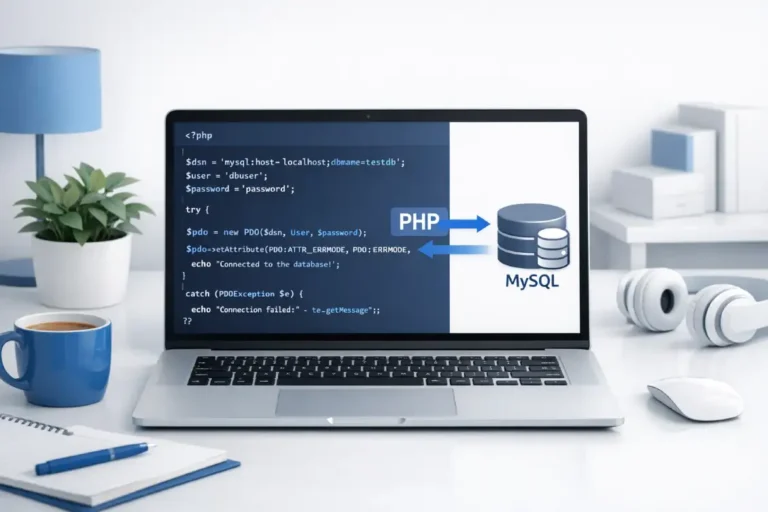
How to Connect PHP with MySQL Using PDO (Step-by-Step Guide)

Connecting PHP with MySQL using PDO (PHP Data Objects) is the most secure and flexible way to interact with databases. PDO provides a consistent interface for multiple databases and supports prepared statements, which help prevent SQL injection attacks.

In this guide, youโ€™ll learn how to connect PHP with MySQL using PDO, with simple examples and explanations.


What is PDO in PHP?

PDO (PHP Data Objects) is a database access layer that provides a uniform method of connecting to multiple databases like MySQL, PostgreSQL, SQLite, etc.

Key Benefits of PDO:

  • Secure (prevents SQL injection)
  • Supports multiple databases
  • Object-oriented approach
  • Prepared statements support
  • Better error handling

Requirements

Before you start, make sure you have:

  • PHP installed (PHP 7+ recommended)
  • MySQL database
  • Local server (XAMPP, WAMP, or hosting server)

Step 1: Create a MySQL Database

CREATE DATABASE my_database;

Step 2: PHP PDO Connection Code

<?php
$host = "localhost";
$dbname = "my_database";
$username = "root";
$password = "";

try {
    // Create PDO connection
    $conn = new PDO("mysql:host=$host;dbname=$dbname", $username, $password);

    // Set error mode
    $conn->setAttribute(PDO::ATTR_ERRMODE, PDO::ERRMODE_EXCEPTION);

    echo "Connected successfully";
} catch (PDOException $e) {
    echo "Connection failed: " . $e->getMessage();
}
?>

Explanation of Code

  • PDO() creates a new database connection
  • mysql defines database type and host
  • setAttribute() enables error handling
  • try-catch block handles connection errors safely

Step 3: Using PDO to Insert Data

<?php
$sql = "INSERT INTO users (name, email) VALUES (:name, :email)";
$stmt = $conn->prepare($sql);

$stmt->execute([
    ':name' => 'John Doe',
    ':email' => 'john@example.com'
]);

echo "Data inserted successfully";
?>

Step 4: Fetch Data Using PDO

<?php
$sql = "SELECT * FROM users";
$stmt = $conn->query($sql);

while ($row = $stmt->fetch(PDO::FETCH_ASSOC)) {
    echo $row['name'] . " - " . $row['email'] . "<br>";
}
?>

Why Use PDO Instead of MySQLi?

FeaturePDOMySQLi
Database SupportMultipleMySQL Only
Prepared StatementsYesYes
SecurityHighModerate
FlexibilityHighLimited

PHP PDO tutorial, connect PHP to MySQL, PHP database connection PDO, PDO example PHP, MySQL connection PHP PDO, PHP PDO beginner guide, secure PHP database connection


Best Practices

  • Always use prepared statements
  • Never expose database credentials
  • Use environment variables for sensitive data
  • Enable error reporting only in development
  • Close connections properly (optional in PDO)

Frequently Asked Questions (FAQs)

What is PDO in PHP?

PDO (PHP Data Objects) is a secure and flexible way to connect PHP with databases like MySQL.

Is PDO better than MySQLi?

Yes, PDO is more flexible and supports multiple databases, while MySQLi only supports MySQL.

Does PDO prevent SQL injection?

Yes, PDO helps prevent SQL injection when using prepared statements.

Can I use PDO with other databases?

Yes, PDO supports databases like PostgreSQL, SQLite, and more.

Why use try-catch in PDO connection?

It helps handle connection errors properly and prevents application crashes.

Is PDO object-oriented?

Yes, PDO uses an object-oriented approach.

Do I need to close PDO connection manually?

No, the connection closes automatically when the script ends.


Conclusion

Connecting PHP with MySQL using PDO is the best modern approach for secure and efficient database operations. With its flexibility, security, and clean syntax, PDO is highly recommended for all PHP developers.

Related Article
Fatal error: Using $this when not in object context but everything looks fine

Fatal Error: Using $this when Not in Object Context When working with PHP, you may encounter the following fatal error: Read more

How to Check if a PHP Array is Associative or Sequential

How to Check if a PHP Array is Associative or Sequential In PHP, arrays are one of the most versatile Read more

Effective Resume Writing Tips | How to Write a Professional Resume That Gets You Hired

Effective Resume Writing โ€“ The Complete Guide to Crafting a Winning Resume Your resume is the first impression you make Read more

Who is Who in Computer Science โ€“ Famous Computer Scientists, Innovators & Tech Pioneers

Who is Who in Computer Science The evolution of computer science has been driven by extraordinary individuals whose inventions, theories, Read more

Effective Resume Writing โ€“ How to Create a Powerful Resume That Gets You Hired

Your resume is your personal marketing tool โ€” the first impression you create before an interview. A powerfully written, well-formatted, Read more

Computer Glossary โ€” A to Z of Computer Terms

Authoritative, educational definitions and concise technical explanations for students, developers and IT professionals. Jump to: ABCDEFGHIJKLMNOPQRSTUVWXYZ Related sections on phponline.in: Read more

HR Interview Questions โ€“ Complete Guide for Candidates

An interview is one of the most important steps in the recruitment process. Itโ€™s a formal meeting where employers assess Read more

Role-Play Interview Questions and Answers

Role-Play Interview Questions โ€“ The Ultimate HR Guide Role-play interviews are a dynamic and practical way for recruiters to evaluate Read more

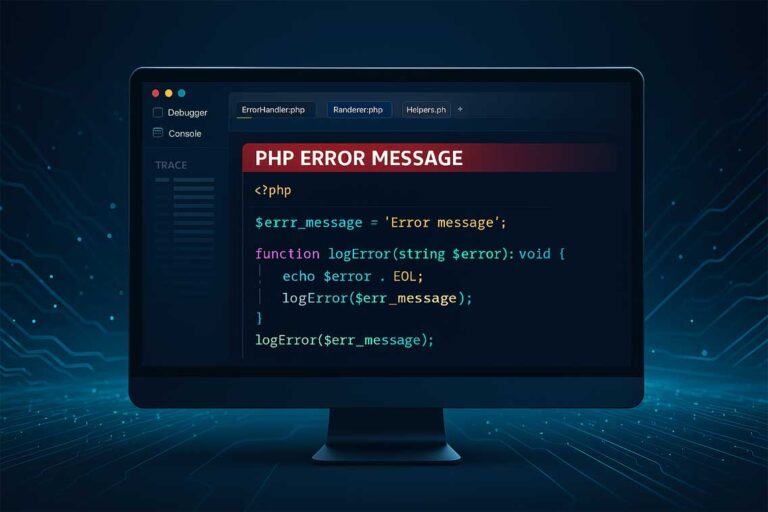
10 Common PHP Errors & How to Fix Them (Complete Guide for Beginners)

10 Common PHP Errors & How to Fix Them โ€“ A Complete Beginner-Friendly Guide

PHP is one of the most widely used server-side scripting languages, but beginners and even experienced developers regularly encounter common PHP errors that break scripts or produce unexpected results.

This guide explains the 10 most frequent PHP errors, why they occur, and how to fix them with simple code examples.

You can test every example instantly using the PHP Online Compiler.


Understanding PHP Errors: Why They Occur and How to Debug

Most PHP errors fall into three categories:

  • Parse Errors (Syntax Errors) โ€“ Your code has invalid syntax.
  • Fatal Errors โ€“ PHP stops executing because of a serious issue.
  • Warnings & Notices โ€“ Non-fatal issues but can affect output.

By learning to fix these errors quickly, you will improve your productivity, debugging skills, and code quality.


1. PHP Parse Error: Syntax Error โ€“ Unexpected Token

High-Ranking Longtail Keyword:

โ€œPHP syntax error unexpected end of file fixโ€

A syntax error means PHP cannot interpret your code due to incorrect structure.

Common causes:

  • Missing semicolon ;
  • Missing parentheses, braces, or quotes
  • Wrong syntax or typos

Example Error:

Parse error: syntax error, unexpected '}' in file.php on line 12

Fix:
Check for missing or extra symbols.

Correct Example:

<?php
echo "Hello World";
?>

2. Undefined Variable Notice

Occurs when you use a variable that has not been declared.

Error Example:

Notice: Undefined variable: name

Fix:
Always define variables before using them.

<?php
$name = "John";
echo $name;
?>

You can experiment live using the PHP Online Compiler.


3. Undefined Index Error in PHP Arrays

Longtail Keyword:

โ€œHow to fix PHP undefined index error in associative arraysโ€

This happens when you try to access an array key that doesnโ€™t exist.

echo $_POST['username'];

If username is missing โ†’ Undefined index error

Fix:
Check before accessing:

if (isset($_POST['username'])) {
    echo $_POST['username'];
}

4. Call to Undefined Function

This occurs when you call a function that PHP cannot find.

Causes:

  • Function spelled incorrectly
  • Missing include or require file
  • Using unavailable built-in functions

Fix Example:

include "functions.php";
sayHello();   // Works if included

5. Fatal Error: Maximum Execution Time Exceeded

Longtail Keyword:

โ€œPHP maximum execution time exceeded infinite loop fixโ€

Happens when a script takes too long, usually due to infinite loops or heavy operations.

Fix:
Repair the loop or increase the time:

ini_set('max_execution_time', 60);

Better solution โ†’ Fix your logic, not the timer.


6. Warning: Division by Zero

Self-explanatory โ€” dividing by zero is not allowed.

Fix:

if ($b != 0) {
    echo $a / $b;
}

7. Header Already Sent Error

Longtail Keyword:

โ€œFix PHP header already sent output buffering errorโ€

Occurs when you try to send a header after HTML output has started.

Error Example:

Warning: Cannot modify header information - headers already sent

Fix:
Move header() before any output.

โŒ Wrong:

echo "Hello";
header("Location: home.php");

โœ… Correct:

header("Location: home.php");
exit;

8. PHP Memory Limit Exceeded

Happens when your script uses more memory than allowed.

Fix:
Optimize code or increase memory:

ini_set("memory_limit", "256M");

9. Missing Required File (include/require) Errors

Common errors:

  • Warning: include() failed
  • Fatal error: require() failed

Fix:
Check file path and file existence:

if (file_exists("config.php")) {
    require "config.php";
}

10. Accessing Object Property on Non-Object

Occurs when you access properties on something that is not an object.

$user->name;

If $user is null โ†’ Error.

Fix:

if (isset($user) && is_object($user)) {
    echo $user->name;
}
PHP errors, how to fix PHP errors, PHP warnings, PHP notice fix, PHP syntax error, undefined index PHP, fatal error PHP, PHP debugging guide, PHP error handling, common PHP mistakes

Bonus: How to Debug PHP Errors Faster

Use these techniques:

Enable Error Reporting

error_reporting(E_ALL);
ini_set("display_errors", 1);

Use var_dump() to Inspect Variables

var_dump($data);

Use Online Tools

Run code instantly using:
๐Ÿ‘‰ PHP Online Compiler


Useful tools to support this page:


FAQs โ€“ 10 Common PHP Errors & Fixes

Q1. What is the most common PHP error for beginners?
Syntax errors such as missing semicolons or braces are the most common.

Q2. How do I enable error reporting in PHP?
Use:

error_reporting(E_ALL);
ini_set('display_errors', 1);

Q3. Why do I get โ€œundefined indexโ€ in PHP?
Because you’re accessing an array key that does not exist.

Q4. How do I fix PHP fatal errors?
Read the error message carefully โ€” it usually points to missing functions, classes, or files.

Q5. Why does PHP show โ€œheaders already sentโ€?
It happens when output (echo/HTML) appears before header() functions.

PHP errors, how to fix PHP errors, PHP warnings, PHP notice fix, PHP syntax error, undefined index PHP, fatal error PHP, PHP debugging guide, PHP error handling, common PHP mistakes

Conclusion

Understanding the 10 most common PHP errors helps you debug faster, write cleaner code, and avoid mistakes that break applications. Whether you’re a student or developer, fixing these issues quickly will make you more confident in PHP development.

Start testing and fixing PHP code now using ๐Ÿ‘‰ PHPOnline.in โ€“ Free PHP Compiler

Related Article
Fatal error: Using $this when not in object context but everything looks fine

Fatal Error: Using $this when Not in Object Context When working with PHP, you may encounter the following fatal error: Read more

How to Check if a PHP Array is Associative or Sequential

How to Check if a PHP Array is Associative or Sequential In PHP, arrays are one of the most versatile Read more

Effective Resume Writing Tips | How to Write a Professional Resume That Gets You Hired

Effective Resume Writing โ€“ The Complete Guide to Crafting a Winning Resume Your resume is the first impression you make Read more

Who is Who in Computer Science โ€“ Famous Computer Scientists, Innovators & Tech Pioneers

Who is Who in Computer Science The evolution of computer science has been driven by extraordinary individuals whose inventions, theories, Read more

Effective Resume Writing โ€“ How to Create a Powerful Resume That Gets You Hired

Your resume is your personal marketing tool โ€” the first impression you create before an interview. A powerfully written, well-formatted, Read more

Computer Glossary โ€” A to Z of Computer Terms

Authoritative, educational definitions and concise technical explanations for students, developers and IT professionals. Jump to: ABCDEFGHIJKLMNOPQRSTUVWXYZ Related sections on phponline.in: Read more

HR Interview Questions โ€“ Complete Guide for Candidates

An interview is one of the most important steps in the recruitment process. Itโ€™s a formal meeting where employers assess Read more

Role-Play Interview Questions and Answers

Role-Play Interview Questions โ€“ The Ultimate HR Guide Role-play interviews are a dynamic and practical way for recruiters to evaluate Read more

Role-Play Interview Questions and Answers

Role-Play Interview Questions โ€“ The Ultimate HR Guide

Role-play interviews are a dynamic and practical way for recruiters to evaluate a candidateโ€™s real-world communication, decision-making, and problem-solving skills.

In this type of interview, you are placed in a simulated workplace scenario, where you must respond naturally โ€” just as you would on the job.

Role-play questions are especially common in customer service, sales, HR, management, and leadership interviews.


What Are Role-Play Interview Questions?

In a role-play interview, the interviewer assigns you a situation โ€” for example, dealing with an unhappy customer or managing a team conflict โ€” and asks you to respond as if it were happening in real life.

The purpose is to assess how you:

  • Communicate under pressure
  • Handle conflict and negotiation
  • Show empathy and professionalism
  • Apply logic and leadership
  • Demonstrate emotional intelligence

Unlike theoretical questions, role-play interviews test behavior + response + result โ€” giving HR an accurate view of how youโ€™ll perform on the job.


Why Role-Play Interviews Are Important

Employers use role-play questions to evaluate traits that arenโ€™t visible on your resume:

  • Communication Clarity โ€“ Can you express yourself clearly?
  • Empathy โ€“ Can you understand othersโ€™ perspectives?
  • Decision-Making โ€“ Do you stay calm under stress?
  • Problem Solving โ€“ Do you suggest logical and fair solutions?
  • Leadership & Confidence โ€“ Can you take charge when needed?

These qualities are essential in client-facing and team-leading roles.


Types of Role-Play Interview Scenarios

Depending on the position, HR may choose one of several common role-play situations:

  1. Customer Complaint Handling โ€“ Responding to an upset client or customer.
  2. Conflict Resolution โ€“ Mediating a disagreement between colleagues.
  3. Team Management โ€“ Assigning tasks and handling performance issues.
  4. Sales Negotiation โ€“ Convincing a hesitant customer to purchase.
  5. Performance Review Discussion โ€“ Giving or receiving feedback professionally.
  6. Crisis Management โ€“ Handling an urgent company issue under pressure.

How to Prepare for a Role-Play Interview

Follow this structured approach to perform confidently:

  1. Understand the scenario: Listen carefully and clarify the objective.
  2. Stay calm and confident: Focus on communication tone and body language.
  3. Show empathy: Acknowledge othersโ€™ feelings before suggesting solutions.
  4. Be solution-oriented: Provide actionable steps to resolve the issue.
  5. Conclude positively: End with professionalism and assurance.

Popular Role-Play Interview Questions and Model Answers

Letโ€™s look at some realistic examples of HR role-play scenarios โ€” along with model responses to guide your preparation.


1. Role-Play Scenario: Handling an Angry Customer

Question:
A customer is upset because their order was delayed. Act as the customer service executive and handle the situation.

Model Answer:

โ€œI completely understand your frustration, and I sincerely apologize for the inconvenience caused. Let me first check your order status. I see it was delayed due to a logistics issue, but I can assure you that itโ€™s out for delivery today. To make up for the delay, Iโ€™d like to offer you a 10% discount on your next order. We truly value your patience and continued trust.โ€

Skills Shown: Empathy, communication, quick problem resolution.


2. Role-Play Scenario: Conflict Between Team Members

Question:
Two members of your team are arguing about task ownership. You are the team lead. How do you handle it?

Model Answer:

โ€œIโ€™d first bring both members into a private conversation. Iโ€™d allow each person to explain their perspective calmly. Then, Iโ€™d focus on the teamโ€™s shared goals rather than personal differences. Iโ€™d clarify responsibilities and set clear deadlines to avoid future confusion. Finally, Iโ€™d encourage them to collaborate and share progress regularly.โ€

Skills Shown: Mediation, leadership, conflict management.


3. Role-Play Scenario: Managing a Sales Negotiation

Question:
You are a sales executive, and the client hesitates to purchase due to high cost. How would you convince them?

Model Answer:

โ€œI completely understand your concern about budget. However, if we look at the long-term benefits, this product can save your company maintenance costs and improve performance by 30%. We also offer flexible payment plans and post-sale support. Would you like me to share a customized quote?โ€

Skills Shown: Persuasion, customer focus, product knowledge.


4. Role-Play Scenario: Giving Feedback to a Team Member

Question:
One of your team members is consistently missing deadlines. How do you address this issue?

Model Answer:

โ€œIโ€™d schedule a one-on-one discussion and start with appreciation for their strengths. Then, Iโ€™d bring up the missed deadlines using specific examples. Iโ€™d ask if thereโ€™s any issue causing the delays and listen actively. Finally, Iโ€™d set clear expectations and offer support to help improve their performance.โ€

Skills Shown: Constructive feedback, leadership, empathy.


5. Role-Play Scenario: Handling a Company Crisis

Question:
A technical issue has affected your companyโ€™s website on launch day. You are the project manager โ€” how do you respond?

Model Answer:

โ€œFirst, Iโ€™d inform stakeholders immediately with transparency about the issue. Iโ€™d assign tasks to the tech team to identify and fix the root cause. Meanwhile, Iโ€™d post a temporary service update on the website and respond to customer queries promptly. Once resolved, Iโ€™d prepare a report to prevent similar issues in the future.โ€

Skills Shown: Crisis management, leadership under pressure, strategic thinking.


Tips for Excelling in Role-Play Interviews

  • Stay professional and composed. Donโ€™t overact or become defensive.
  • Listen actively. Ask clarifying questions before responding.
  • Use real examples. Base your answers on realistic work behavior.
  • Be assertive, not aggressive. Show confidence with courtesy.
  • End every scenario with a positive tone.

Pro Tip: Practice with a friend or record yourself to observe tone, expression, and confidence.

role-play interview questions, role play interview examples, HR role play scenarios, customer service role play questions, conflict resolution interview examples, role play practice for freshers, situational interview questions, role play interview answers, HR interview preparation, workplace scenario questions

Common Mistakes to Avoid in Role-Play Interviews

โŒ Interrupting the interviewer mid-scenario
โŒ Showing emotional reactions or frustration
โŒ Giving vague or unstructured responses
โŒ Ignoring the other personโ€™s viewpoint
โŒ Failing to conclude with a solution


Sample Role-Play Dialogue Example

Interviewer: โ€œYouโ€™re a support representative, and a customer complains that the software keeps crashing.โ€
Candidate:

โ€œIโ€™m really sorry to hear that. Could you please share when the issue occurs? Iโ€™ll escalate this to our tech team and ensure a fix within 24 hours. Meanwhile, I can provide a temporary workaround. Iโ€™ll also follow up to confirm once itโ€™s resolved.โ€

Result: Calm, professional, customer-focused โ€” perfect HR impression.


Role-Play Interview Questions for Freshers

Freshers are often tested on communication and problem-solving ability:

  • How would you handle a difficult teammate in college?
  • A client calls to complain โ€” what will you say?
  • How would you resolve a misunderstanding in a group project?

Tip: Focus on calmness, empathy, and solution-oriented answers.


Role-Play Interview Questions for Experienced Candidates

For senior or managerial roles, questions test leadership and diplomacy:

  • How would you handle a disagreement with your manager?
  • A team member refuses to follow a new policy โ€” what do you do?
  • How would you manage a client who demands unrealistic timelines?

Tip: Combine logic, communication, and people management in your response.


FAQ โ€“ Role-Play Interview Questions

Q1: What is a role-play interview question?
Itโ€™s a simulated scenario where you must respond naturally to test your communication and problem-solving skills.

Q2: How do I prepare for a role-play interview?
Practice realistic workplace situations and focus on empathy, tone, and clear communication.

Q3: Are role-play interviews common in HR?
Yes โ€” theyโ€™re widely used in HR, customer support, sales, and management interviews.

Q4: What skills do role-play interviews test?
Communication, teamwork, leadership, problem-solving, and emotional intelligence.

Q5: How can I stand out in a role-play interview?
Stay calm, structure your response, show professionalism, and end with a clear resolution.


Related Article
Fatal error: Using $this when not in object context but everything looks fine

Fatal Error: Using $this when Not in Object Context When working with PHP, you may encounter the following fatal error: Read more

How to Check if a PHP Array is Associative or Sequential

How to Check if a PHP Array is Associative or Sequential In PHP, arrays are one of the most versatile Read more

Effective Resume Writing Tips | How to Write a Professional Resume That Gets You Hired

Effective Resume Writing โ€“ The Complete Guide to Crafting a Winning Resume Your resume is the first impression you make Read more

Who is Who in Computer Science โ€“ Famous Computer Scientists, Innovators & Tech Pioneers

Who is Who in Computer Science The evolution of computer science has been driven by extraordinary individuals whose inventions, theories, Read more

Effective Resume Writing โ€“ How to Create a Powerful Resume That Gets You Hired

Your resume is your personal marketing tool โ€” the first impression you create before an interview. A powerfully written, well-formatted, Read more

Computer Glossary โ€” A to Z of Computer Terms

Authoritative, educational definitions and concise technical explanations for students, developers and IT professionals. Jump to: ABCDEFGHIJKLMNOPQRSTUVWXYZ Related sections on phponline.in: Read more

HR Interview Questions Tutorial โ€“ Complete Guide with Answers, Tips & Examples

The HR interview is one of the most crucial stages in the hiring process. Itโ€™s where recruiters evaluate your personality, Read more

HR Interview Questions โ€“ Complete Guide for Candidates

An interview is one of the most important steps in the recruitment process. Itโ€™s a formal meeting where employers assess Read more

HR Interview Questions โ€“ Complete Guide for Candidates

An interview is one of the most important steps in the recruitment process. Itโ€™s a formal meeting where employers assess a candidateโ€™s skills, education, personality, and work experience to determine their suitability for a role.

A well-conducted HR interview not only evaluates your career achievements but also provides an opportunity for you to present your personality, communication style, and problem-solving abilities. Itโ€™s your chance to expand on your resume, discuss your expertise, and show how you can contribute to the organizationโ€™s success.

Modern HR interviews go beyond basic questions โ€” they are designed to test critical thinking, decision-making, and adaptability. Whether youโ€™re a fresher or a seasoned professional, understanding the different types of interview questions will help you prepare more effectively.


Different Types of HHR Interview Questions

Depending on the company, job role, and industry, candidates may face various styles of interviews. Below are the six main categories of HR interview question types โ€” each testing a unique set of skills and personality traits.


Behavioral Interview Questions โ€“ How You Act in Real Situations

Behavioral interview questions are designed to explore how youโ€™ve handled challenges and responsibilities in the past. These questions help HR professionals predict how you might perform in similar future situations.

Common Examples:

  • Tell me about a time when you had to work under pressure.
  • Describe a situation where you had to deal with a difficult team member.
  • How did you handle a major project failure?

Expert Tip:
Use the STAR method (Situation, Task, Action, Result) to structure your responses clearly and impactfully.

๐Ÿ‘‰ Read more: Behavioral Interview Questions Guide


Traditional Interview Questions โ€“ The Classic HR Queries

Traditional interview questions focus on your personal background, skills, education, and career aspirations. Theyโ€™re often used to evaluate your confidence, self-awareness, and overall fit for the organization.

Common Examples:

  • Tell me about yourself.
  • What are your strengths and weaknesses?
  • Why do you want to join our company?
  • Where do you see yourself in five years?

Expert Tip:
Be concise and authentic. Tailor your answers to match the companyโ€™s mission and values.

๐Ÿ‘‰ Explore more: Traditional Interview Questions


Case Interview Questions โ€“ Problem Solving in Action

Case interviews are especially popular in consulting, analytics, and business management roles. In these, youโ€™re given a real or hypothetical business problem to solve using logical reasoning and structured analysis.

Common Examples:

  • How would you improve sales for a declining product line?
  • Estimate how many smartphones are sold in your city each month.
  • What steps would you take to optimize a companyโ€™s website traffic?

Expert Tip:
Focus on logical thinking, not necessarily the final answer. Demonstrate your ability to break complex problems into smaller, actionable parts.

๐Ÿ‘‰ Learn more: Case Interview Questions


Role-Play Interview Questions โ€“ Test of Real-Time Skills

Role-play interviews simulate real workplace scenarios to assess how candidates handle practical situations. These are common in sales, customer support, and management roles.

Common Examples:

  • Act as a customer service agent dealing with an angry client.
  • Convince a hesitant customer to buy a product.
  • Handle a disagreement between two team members.

Expert Tip:
Stay calm, communicate clearly, and show empathy. HR evaluators look for problem-solving, listening, and negotiation skills.

๐Ÿ‘‰ Check out: Role-Play Interview Questions


Industry-Specific Interview Questions โ€“ Domain-Based Assessment

These questions focus on your technical expertise, certifications, and knowledge related to your industry. The goal is to evaluate your depth of understanding and practical experience.

Examples by Industry:

  • IT: Explain the difference between GET and POST in PHP.
  • Finance: What is the difference between assets and liabilities?
  • Marketing: How would you measure the success of a social media campaign?

Expert Tip:
Stay updated with the latest trends and technologies in your field to answer confidently.

๐Ÿ‘‰ Read full guide: Industry-Specific HR Questions


Brainteaser Interview Questions โ€“ Test Your Logic and Creativity

Brainteasers assess how candidates think outside the box. These are tricky questions designed to test analytical thinking, logic, and creativity under pressure.

Common Examples:

  • How many tennis balls can fit in a bus?
  • Why are manhole covers round?
  • If you had only 10 minutes to prepare for a presentation, what would you do?

Expert Tip:
Donโ€™t panic! Brainteasers test reasoning, not accuracy. Explain your thought process clearly.

๐Ÿ‘‰ Discover more: Brainteaser Interview Questions


How to Prepare for HHR Interviews Effectively

  • Research the company: Understand its culture, mission, and products.
  • Know the role: Read the job description thoroughly.
  • Practice mock interviews: Rehearse answers out loud.
  • Focus on soft skills: HR interviews assess communication and attitude.
  • Stay calm and confident: Maintain positive body language and smile naturally.

For detailed preparation techniques, check HR Interview Questions Tutorial.


Examples of HR Interview Scenarios

  • Scenario 1: You are applying for a technical position and asked how you would handle a missed project deadline. Answer by explaining your plan for identifying issues early, communicating with stakeholders, and proposing solutions.
  • Scenario 2: You are interviewing for a managerial role and asked to resolve a team conflict. Explain how you would mediate between parties and implement a collaborative resolution.
  • Scenario 3: As a fresher, you are asked about leadership. Share examples from college or internships where you took initiative or managed group projects.
HR interview questions, types of HR interviews, behavioral interview questions, traditional interview questions, case study interview, role-play interview, brainteaser questions, HR interview preparation, HR interview guide, common interview types, interview techniques, HR hiring process


FAQ โ€“ HHR Interview Questions

Q1: What is an HHR interview?
An HHR (Human Resource Round) interview is a meeting between a candidate and HR personnel to assess personality, attitude, and fit for the organization.

Q2: How many types of HR interviews exist?
There are mainly six types: behavioral, traditional, case, role-play, industry-specific, and brainteaser interviews.

Q3: How can I prepare for HR interviews as a fresher?
Review common HR questions, practice speaking confidently, and align your answers with the companyโ€™s values.

Q4: What skills are HR interviewers looking for?
Communication, adaptability, integrity, teamwork, and critical thinking.

Q5: Are HR interview questions the same for all roles?
No, they vary depending on the job profile, experience level, and company type.

Related Article
Fatal error: Using $this when not in object context but everything looks fine

Fatal Error: Using $this when Not in Object Context When working with PHP, you may encounter the following fatal error: Read more

How to Check if a PHP Array is Associative or Sequential

How to Check if a PHP Array is Associative or Sequential In PHP, arrays are one of the most versatile Read more

Effective Resume Writing Tips | How to Write a Professional Resume That Gets You Hired

Effective Resume Writing โ€“ The Complete Guide to Crafting a Winning Resume Your resume is the first impression you make Read more

Who is Who in Computer Science โ€“ Famous Computer Scientists, Innovators & Tech Pioneers

Who is Who in Computer Science The evolution of computer science has been driven by extraordinary individuals whose inventions, theories, Read more

Effective Resume Writing โ€“ How to Create a Powerful Resume That Gets You Hired

Your resume is your personal marketing tool โ€” the first impression you create before an interview. A powerfully written, well-formatted, Read more

Computer Glossary โ€” A to Z of Computer Terms

Authoritative, educational definitions and concise technical explanations for students, developers and IT professionals. Jump to: ABCDEFGHIJKLMNOPQRSTUVWXYZ Related sections on phponline.in: Read more

HR Interview Questions Tutorial โ€“ Complete Guide with Answers, Tips & Examples

The HR interview is one of the most crucial stages in the hiring process. Itโ€™s where recruiters evaluate your personality, Read more

Behavioral Interview Questions with Answers โ€“ Complete HR Guide for Job Seekers

Behavioral interview questions are one of the most powerful tools HR professionals use to understand a candidateโ€™s past behavior, problem-solving Read more