How to Connect PHP with MySQL Using PDO (Step-by-Step Guide)
📌 Key Takeaways
- How to Connect PHP with MySQL Using PDO (Step-by-Step Guide)
- What is PDO in PHP?
- Requirements
- Step 1: Create a MySQL Database
- Step 2: PHP PDO Connection Code
- Explanation of Code
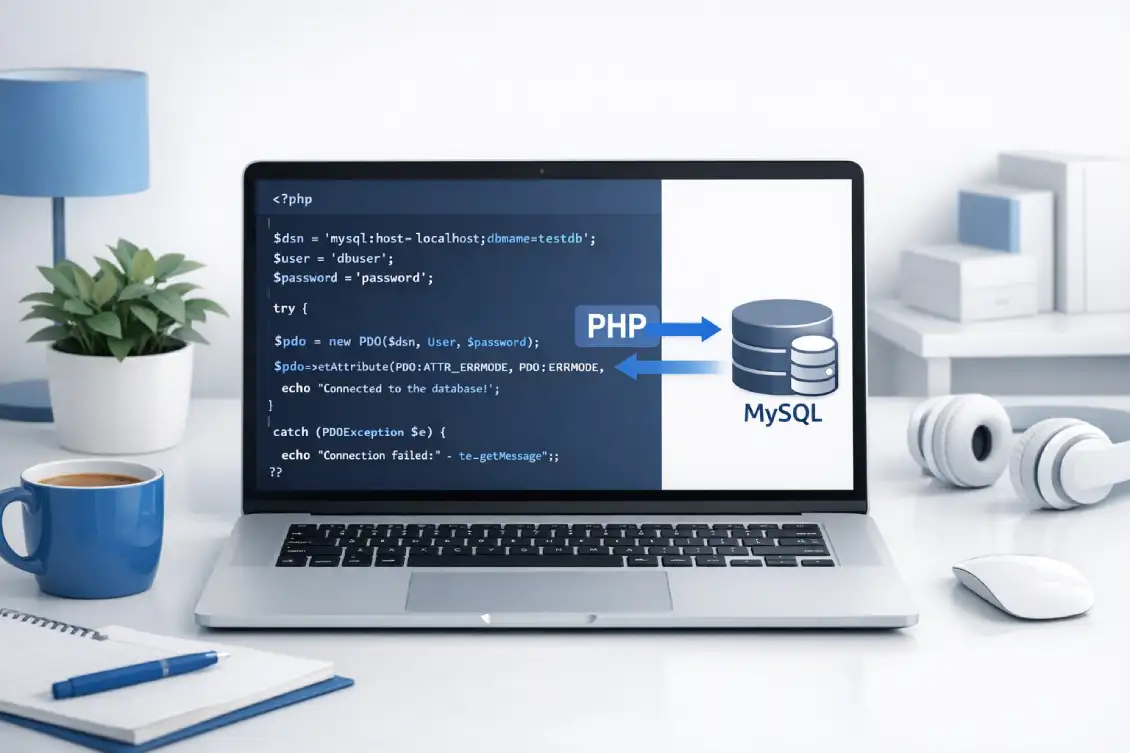
Connecting PHP with MySQL using PDO (PHP Data Objects) is the most secure and flexible way to interact with databases. PDO provides a consistent interface for multiple databases and supports prepared statements, which help prevent SQL injection attacks.
In this guide, you’ll learn how to connect PHP with MySQL using PDO, with simple examples and explanations.
What is PDO in PHP?
PDO (PHP Data Objects) is a database access layer that provides a uniform method of connecting to multiple databases like MySQL, PostgreSQL, SQLite, etc.
Key Benefits of PDO:
- Secure (prevents SQL injection)
- Supports multiple databases
- Object-oriented approach
- Prepared statements support
- Better error handling
Requirements
Before you start, make sure you have:
- PHP installed (PHP 7+ recommended)
- MySQL database
- Local server (XAMPP, WAMP, or hosting server)
Step 1: Create a MySQL Database
CREATE DATABASE my_database;Step 2: PHP PDO Connection Code
<?php
$host = "localhost";
$dbname = "my_database";
$username = "root";
$password = "";

try {
    // Create PDO connection
    $conn = new PDO("mysql:host=$host;dbname=$dbname", $username, $password);

    // Set error mode
    $conn->setAttribute(PDO::ATTR_ERRMODE, PDO::ERRMODE_EXCEPTION);

    echo "Connected successfully";
} catch (PDOException $e) {
    echo "Connection failed: " . $e->getMessage();
}
?>
Explanation of Code
- PDO() creates a new database connection
- mysql defines database type and host
- setAttribute() enables error handling
- try-catch block handles connection errors safely
Step 3: Using PDO to Insert Data
<?php
$sql = "INSERT INTO users (name, email) VALUES (:name, :email)";
$stmt = $conn->prepare($sql);

$stmt->execute([
    ':name' => 'John Doe',
    ':email' => 'john@example.com'
]);

echo "Data inserted successfully";
?>
Step 4: Fetch Data Using PDO
<?php
$sql = "SELECT * FROM users";
$stmt = $conn->query($sql);

while ($row = $stmt->fetch(PDO::FETCH_ASSOC)) {
    echo $row['name'] . " - " . $row['email'] . "<br>";
}
?>
Why Use PDO Instead of MySQLi?
| Feature | PDO | MySQLi |
|---|---|---|
| Database Support | Multiple | MySQL Only |
| Prepared Statements | Yes | Yes |
| Security | High | Moderate |
| Flexibility | High | Limited |
PHP PDO tutorial, connect PHP to MySQL, PHP database connection PDO, PDO example PHP, MySQL connection PHP PDO, PHP PDO beginner guide, secure PHP database connection
Best Practices
- Always use prepared statements
- Never expose database credentials
- Use environment variables for sensitive data
- Enable error reporting only in development
- Close connections properly (optional in PDO)
Frequently Asked Questions (FAQs)
What is PDO in PHP?
PDO (PHP Data Objects) is a secure and flexible way to connect PHP with databases like MySQL.
Is PDO better than MySQLi?
Yes, PDO is more flexible and supports multiple databases, while MySQLi only supports MySQL.
Does PDO prevent SQL injection?
Yes, PDO helps prevent SQL injection when using prepared statements.
Can I use PDO with other databases?
Yes, PDO supports databases like PostgreSQL, SQLite, and more.
Why use try-catch in PDO connection?
It helps handle connection errors properly and prevents application crashes.
Is PDO object-oriented?
Yes, PDO uses an object-oriented approach.
Do I need to close PDO connection manually?
No, the connection closes automatically when the script ends.
Conclusion
Connecting PHP with MySQL using PDO is the best modern approach for secure and efficient database operations. With its flexibility, security, and clean syntax, PDO is highly recommended for all PHP developers.
Related Articles

Fatal error: Using $this when not in object context but everything looks fine

What Salary Does a PHP Developer Earn in 2026? Complete Salary Guide for Beginners and Experts