πŸŽ‰ New: Top 75 PHP Interview Questions for 2026 β€” Free for all learners

Creating and Signing a Token Using a Private JWK Encoded RSA Key

Creating and Signing a Token Using a Private JWK Encoded RSA Key

JSON Web Tokens (JWTs) are a widely used mechanism for representing claims securely between two parties. They consist of three parts: a header, a payload, and a signature. The signature ensures that the token has not been tampered with and that it was issued by a trusted source.

In this article, we will explore how to create and sign a JWT using a private JWK encoded RSA key.

Prerequisites

Before you begin, you will need the following:

  • A private RSA key encoded in JWK format
  • A library or framework that supports JWT creation and signing (e.g., PyJWT, JWT.io)

Step 1: Create a JWT Header

The JWT header contains information about the signing algorithm and the type of token. For signing with a private RSA key, we will use the “RS256” algorithm and set the token type to “JWT”:

{
  "alg": "RS256",
  "typ": "JWT"
}

Step 2: Create a JWT Payload

The JWT payload contains the claims that you want to assert. These claims can be any arbitrary data, but they are typically used to represent user information, roles, permissions, or other metadata.

For example, let’s create a payload that contains the user’s username, email, and role:

{
  "username": "alice",
  "email": "alice@example.com",
  "role": "admin"
}

Step 3: Encode the Header and Payload

The header and payload need to be encoded as Base64URL strings before they can be signed. Use a library or framework that supports Base64URL encoding.

Step 4: Sign the Token

To sign the token, you will need your private RSA key. Import it into your chosen library or framework.

Then, use the signing algorithm specified in the header (“RS256”) and your private key to sign the encoded header and payload. This will produce a digital signature.

Step 5: Create the JWT

Finally, combine the encoded header, encoded payload, and signature to create the complete JWT. The format is:

<encoded header>.<encoded payload>.<signature>

Example

Using PyJWT, here is an example of how to create and sign a JWT using a private JWK encoded RSA key:

import jwt

# Load the private key
private_key = jwt.utils.load_pem(open('private_key.pem').read())

# Create the header and payload
header = {'alg': 'RS256', 'typ': 'JWT'}
payload = {'username': 'alice', 'email': 'alice@example.com', 'role': 'admin'}

# Encode the header and payload
encoded_header = jwt.utils.base64url_encode(jwt.jwk_encode(header)).decode('utf-8')
encoded_payload = jwt.utils.base64url_encode(jwt.json_encode(payload)).decode('utf-8')

# Sign the token
signature = jwt.sign(encoded_header + '.' + encoded_payload, private_key, algorithm='RS256')

# Create the JWT
jwt = encoded_header + '.' + encoded_payload + '.' + signature

Conclusion

By following these steps, you can create and sign JWTs using a private JWK encoded RSA key. This allows you to securely assert claims and verify their authenticity. JWTs are a valuable tool for implementing authentication and authorization in modern applications.

TOC Menu Fails to Collapse When Hosting _build/html on Webserver

Introduction

When building documentation using Sphinx and deploying the _build/html on a webserver, users may encounter an issue where the table of contents (TOC) menu remains expanded and does not collapse when expected. This article aims to provide a solution to this problem.

Cause of the Issue

The TOC menu collapse functionality is implemented using JavaScript. When the _build/html is hosted on a webserver, the base URL of the page changes from the local file system to the server’s address. As a result, the JavaScript code that handles the TOC collapse fails to execute correctly.

Solution

To resolve this issue, we need to modify the JavaScript code to accommodate the change in base URL. The following steps outline the solution:

  1. Edit layout.html:

Open the layout.html file located in the _templates directory within the Sphinx source code.

  1. Find the TOC JavaScript:

Search for the following code within the <head> section of layout.html:

<script src="{{ pathto('_static/navtree.js', 1) }}" defer></script>
  1. Append the Base URL:

Add the following line below the existing script tag, replacing YOUR_BASE_URL with the actual base URL of your website:

<script>
    window.base_url = 'YOUR_BASE_URL';
</script>
  1. Save and Rebuild:

Save the layout.html file and rebuild the documentation using Sphinx.

Example:

If your website’s base URL is https://example.com/docs/, the modified layout.html will include the following code:

<script src="{{ pathto('_static/navtree.js', 1) }}" defer></script>
<script>
    window.base_url = 'https://example.com/docs/';
</script>

Verification

After rebuilding the documentation and deploying it on the webserver, refresh the page. The TOC menu should now collapse properly.

Conclusion

By appending the base URL to the JavaScript code, the TOC collapse functionality is restored when the documentation is hosted on a webserver. This modification ensures a seamless user experience and allows the TOC menu to behave as intended.

Copy data from one MS Access database to another

Copy Data from One MS Access Database to Another

In Microsoft Access, it’s often necessary to transfer data between databases. There are several methods available to facilitate this process, each with its own advantages and limitations.

Method 1: Using the Import/Export Wizard

The Import/Export Wizard provides a user-friendly interface for transferring data between Access databases. Here are the steps to follow:

  1. Open the source database.
  2. Go to the External Data tab in the ribbon.
  3. Click on the “Access” option under “Import & Link.”
  4. Browse and select the target database.
  5. Choose the tables or queries you want to import.
  6. Specify any import options, such as field mapping or data filtering.
  7. Start the import process.

Method 2: Using VBA (Visual Basic for Applications)

VBA is a programming language built into Access that allows for greater control over data transfer. Here’s a sample VBA code to copy data from one table to another:

Dim cnnSource As ADODB.Connection
Dim cnnTarget As ADODB.Connection
Dim rsSource As ADODB.Recordset
Dim rsTarget As ADODB.Recordset

' Open the source and target databases
Set cnnSource = New ADODB.Connection
cnnSource.ConnectionString = "Provider=Microsoft.ACE.OLEDB.12.0;Data Source=C:pathtosource.accdb;"
Set cnnTarget = New ADODB.Connection
cnnTarget.ConnectionString = "Provider=Microsoft.ACE.OLEDB.12.0;Data Source=C:pathtotarget.accdb;"

' Open the source and target recordsets
Set rsSource = New ADODB.Recordset
rsSource.Open "SELECT * FROM SourceTable", cnnSource
Set rsTarget = New ADODB.Recordset
rsTarget.Open "INSERT INTO TargetTable (Field1, Field2, ...) VALUES (?, ?, ...)", cnnTarget, _
    adOpenDynamic, adLockOptimistic

' Copy the data row by row
Do Until rsSource.EOF
    rsTarget.AddNew
    For i = 0 To rsSource.Fields.Count - 1
        rsTarget(rsSource.Fields(i).Name) = rsSource(rsSource.Fields(i).Name)
    Next i
    rsTarget.Update
    rsSource.MoveNext
Loop

' Close the recordsets and connections
rsSource.Close
rsTarget.Close
cnnSource.Close
cnnTarget.Close

Method 3: Using Linked Tables

Linking tables allows you to create a connection between data in another database without actually importing it. This can be useful for accessing data in the linked database as if it were part of the current database.

To create a linked table:

  1. Open the target database.
  2. Go to the External Data tab in the ribbon.
  3. Click on the “More” option under “Import & Link.”
  4. Select “Linked Table.”
  5. Browse and select the source database.
  6. Choose the tables you want to link.

Choosing the Best Method

The best method for copying data between Access databases depends on the specific requirements:

  • Import/Export Wizard: Easy to use for small to medium-sized data transfers.
  • VBA: More flexible and powerful, allowing for complex data manipulation and automation.
  • Linked Tables: Useful for establishing a temporary connection without physically transferring data.

By understanding the different methods available, you can effectively transfer data between MS Access databases to meet your specific needs.

CSS Introduction

CSS: The Art of Styling Web Pages

Cascading Style Sheets (CSS) is a powerful language that allows you to control the appearance of your web pages. It’s used to change the font, size, color, and other visual properties of text, images, and other elements on a webpage. By using CSS, you can create consistent and visually appealing web pages that meet your design specifications.

The Basics of CSS

CSS is a language that’s written in a series of selectors and declarations. A selector identifies the element that you want to style, and a declaration specifies the style properties that you want to apply to that element.

For example, the following CSS code would change the font of all headings on a webpage to Arial:

h1, h2, h3 {
  font-family: Arial;
}

CSS Selectors

There are many different types of CSS selectors that you can use to target different elements on a webpage. Here are a few of the most common:

  • Element selectors target elements based on their name. For example, the p selector targets all paragraph elements on a webpage.
  • Class selectors target elements based on a class name that has been assigned to them. For example, the .btn selector targets all elements that have been assigned the btn class.
  • ID selectors target elements based on a unique ID that has been assigned to them. For example, the #header selector targets the element that has been assigned the header ID.

CSS Declarations

CSS declarations specify the style properties that you want to apply to an element. Each declaration consists of a property name and a value. Here are a few of the most common CSS properties:

  • color specifies the color of an element’s text.
  • font-family specifies the font that is used for an element’s text.
  • font-size specifies the size of an element’s text.
  • background-color specifies the color of an element’s background.
  • width specifies the width of an element.
  • height specifies the height of an element.

CSS Units

CSS values can be specified using a variety of units, including:

  • Pixels (px) are the most commonly used unit for specifying the size of elements.
  • Percentage (%) are used to specify the size of elements relative to their parent element.
  • Ems (em) are used to specify the size of elements relative to the font size of the parent element.
  • Rems (rem) are used to specify the size of elements relative to the root font size of the webpage.

CSS Inheritance

CSS properties can be inherited from parent elements to child elements. This means that you can set a property on a parent element, and all of its child elements will inherit that property. For example, if you set the font-family property on a <div> element, all of the <p> elements inside that <div> element will inherit the same font family.

CSS Specificity

CSS specificity is a system that determines which CSS rules should be applied to an element when multiple rules are defined. The more specific a rule is, the higher its specificity. The following factors affect the specificity of a CSS rule:

  • Inline styles have the highest specificity.
  • ID selectors have higher specificity than class selectors.
  • Class selectors have higher specificity than element selectors.
  • Multiple selectors have higher specificity than single selectors.

Conclusion

CSS is a powerful language that can be used to create beautiful and consistent web pages. By understanding the basics of CSS, you can start to create your own custom styles for your web pages.

What is a Facebook Pixel Code? How do you get one? How do I add a Pixel Code it to website?

This guide will walk you through the steps of generating or locating your Facebook pixel code and integrating it into your website.

What is a Facebook Pixel?

Facebook “Pixels” are snippets of code that may be added to a website to track the performance of adverts and gain access to advanced tools within the Facebook advertising platform. Facebook pixels monitor clicks and conversions on your site, send targeted ads to users without you having to lift a finger, and help you connect with new and existing consumers.

Where can you find the code for the Facebook pixel?

  1. Facebook’s Business Manager is where you may generate a new pixel code or look for an existing one.
  2. To adjust company preferences, open Business Manager.
  3. Pick your company.
  4. Navigate to Data Sourcing.
  5. Pick your Pixels.
  6. Choose the plus sign (+) to add anything.
  7. Put your Pixel’s name in the box.
  8. This field is for an optional website address.
  9. Just keep going if you want to.
  10. Click Set up the Pixel Now to begin implementing your Meta Pixel on your website. Select Continue Managing My Business to stay in Business Manager.

Add the Facebook Pixel to Your Site


To add pixel code to your site you need to put that code to your site <head> section.

you can do it from admin and plugins like wp head or code snippet.

Another way to do this is to add code in your child theme’s header file before </head> tag ends and save your changes.

The benefit of doing this with a child theme is that if you update the main theme you don’t need to add code again and again after any update.

RTE income limit 2024-25

"RTE

Welcome to our site phponline.in. We’ve provided you a lot of material today, and we’d already given you a heads-up about the rte paperwork you’ll need. In a similar vein, in this essay, you will learn all there is to know about the rte income limit for the upcoming academic year (2025-24). Afterwards we will wrap up our article.

Most Asked Questions

What is Tamil Nadu’s Rte income cap?
The Maharashtra Rte income cap?
Karnataka’s upper income ceiling for RTE?
What is Rajasthan’s rte income cap?
The RTE income cap in Gujarat.
What is the uttar Pradesh Rte income cap?
Salary cap for RTI in Uttarakhand?

The Tamil Nadu Rte Income Limit

Tamil Nadu’s Rte income cap. In the past, I’ve shared information on salary requirements for various job openings; today, we’ll do the same for the RTE. The RTE income cap varies by state.

In this section, we will discuss the minimum annual household income required to qualify for rte admission in Tamil Nadu. Your family will receive an income certificate at the time of enrollment for each of your children in RTE. That mug has got to go. Your annual income must be at least 1 lakh ($15,000) for your child to qualify for RTE school enrollment. This money is crucial for the people of Tamil Nadu.

We trust that you have received this information, friends.

The Maharashtra State Rte Income Limit

The Maharashtra Rte income cap. You guys know that the rte income cap varies by state, and you guys know that the rte income cap in Maharashtra is lower than the rte income cap in other states. In this article, we will discuss the minimum annual household income required to enrol in the Rajasthan Teacher Education (RTE) programme in the Indian state of Maharashtra.

If you want to enrol in rte in the state of Maharashtra, your family’s annual income must be above Rs.3.5 million. Then and only then will rte accept you. This income threshold applies only to residents of Maharashtra and will prevent you from enrolling in rte if your family’s income is higher than the specified amount.

We trust that you have received this information, friends.

Karnataka’s Rte income cap

Karnataka’s rte income cap, if any. Folks, as you probably already know, if you want to enrol your kids in IT, you’ll have to provide proof of income in the form of an income certificate. This is because the school needs to verify your financial stability before granting you admittance.

Although the RTE income threshold varies by state, we will provide detailed information about this threshold today if you are ever asked to provide an income certificate.

Friends, the income requirement for Karnataka party attendees is as follows: all Karnataka parents whose children are invited to your Aarti must have an annual salary of at least 3.5 lakh.

We’re sharing this with you because we know you care about our kids getting into RTI, but if your income is too high, they won’t be admitted.

The Rajasthan RTE Income Limit

The Rajasthan rte income cap. We have some very important news to share with you today, so please welcome it with open arms. If you want your kids admitted to RTE, you’ll need to bring proof of income with you. They presume we’ve come to apply for admittance, so they wonder why we have to provide proof of income. Let us inform you that the income limit for rte in Rajasthan certificate is required so that parents can determine whether or not their child meets the requirements for enrollment.

The following data is provided for the residents of Rajasthan and reflects the maximum annual income allowed by the Rajasthan Tribal Education Act (RTE). The annual limit for a family of your size is $2,500,000. Your family’s income must be below this threshold in order to qualify for RTE admission for your child.

The Gujarat RTE Income Limit

Gujarat’s rte eligibility income requirements. What is the income limit for rte in Gujarat, friends? We have some very important news for the people of Gujarat to share with you today. By the way, you folks would be aware that your annual income is required whenever you apply for enrollment at RTE. As those working at RTE are aware of the families’ financial situations, they can decide whether or not to grant admittance to their children.

Each of your states has set a distinct limit on household income; in Gujarat, the limit under RTE has been set at the current level. Income caps under RTE in Gujarat should not exceed 2 lakhs per year. We trust that you have received this information, friends.

Income eligibility for Rte in Uttar Pradesh

Rte eligibility in Uttar Pradesh is means tested. Just as we told you about the income limitations in each state’s Right to Education Act (RTE) implementation, we’re now going to tell you about the income limit in Uttar Pradesh’s RTE implementation, which is required anytime you seek admission for your child or yourself.

If your annual household income is less than the thresholds set by the RTEs in Karnataka and Rajasthan ($3.5 thousand) and Tamil Nadu ($1 thousand), then you meet the requirements of the RTE in Uttar Pradesh and are eligible to send your children to public schools.

We hope that our message has reached you, but if your salary is more than this, you will not be eligible to teach your children under the Right to Education Act (RTE).

The Uttarakhand RTE Income Limit

Income cap for Rte in Uttarakhand. To all of our friends in Uttarakhand: under your RTE, the income restriction has been kept in the admittance, but the lower rate is 55000, and we have some very important news to share with you today. The inhabitants of Uttarakhand have the lowest income limit of any other state or territory.

That’s why it’s important to include your 55,000 in the appropriate section of your income certificate. Income certificates proving a household income of 55,000 rupees or more are required for students to enrol in IT-related programmes. Friends, we hope you’ve been able to put this information to use in applying for your child’s admission to RTE.

RTE income limit 2024-25

APPLY RET FORM HERE

coderazaa IFSC Code

What exactly is an IFSC code?

The Indian Financial System Code (IFSC) is an 11-digit alphanumeric code that uniquely identifies all banks and their branches that participate in the online fund transfer process. The Reserve Bank of India (RBI) assigns the IFSC Code to each bank branch in order to track internet money transfers. Without a valid IFSC, no electronic or online transactions for transferring funds via NEFT (National Electronic Fund Transfer), RTGS (Real-time Gross Settlement), or IMPS (Immediate Payment System) can be initiated.

Format of the IFSC Code

The IFSC code format consists of 11 characters and is made up of three main components:

The first four characters are the bank code.
The fifth character is a zero.
The last six characters represent a specific branch code.

Consider the example of the SBI IFSC Code, Mumbai branch, shown below.

State Bank of India Code Zero State Bank of India Branch Code
S B I N 0 0 0 0 3 0 0

The first four characters ‘SBIN’ represent the SBI bank code, the fifth character is a ‘0,’ and the last six digits ‘000300’ reflect the Mumbai Main, Maharastra branch code.

How to Find Your Branch’s IFSC Code?

1. Cheque leaf: The quickest approach to find your branch’s IFSC code is to consult your cheque book. A cheque leaf’s upper left corner has the entire address of the branch. An 11-digit code can be found at the end of the address. This is the IFSC code for your account.

2. Passbook: Look at the first page of your passbook. It includes information about your account as well as your branch. There you can seek for the IFSC Code.

3. RBI website: Another easy option to discover your IFSC code is to go to the Reserve Bank of India’s official website. Go to the IFSC codes tab.

It is advantageous to know the name of your branch in this situation. You choose your bank from a drop-down option and type in the name of your branch. The IFSC Code for your branch will be provided on the website. Don’t be concerned if you don’t know what the name of your branch is. When you select a bank, the RBI provides a list of IFSC codes for all of the bank’s branches. You may look up your branch’s IFSC code by searching for it.

4. Bank website: Virtually all banks’ websites offer Branch Locator services. You can find the Branch Locate tool on the bank’s official website. Get the IFSC Code of your branch by using the tool. You can find your branch and browse for information about it.

While you can find the IFSC Code by using the branch name, you can also find the branch by IFSC Code. You can use the IFSC Code to find the bank’s address and other information by visiting its official website. You can even use Google to get the address of the branch associated with the IFSC Code.

If you submit an invalid IFSC Code during an online transfer, the funds are returned to your account.This occurs when you make a transfer to an account holder whose IFSC Code does not match the bank’s database.

How to Get Bank Information Using an IFSC Code

Users can conduct an IFSC Code search for a specific bank branch both online and offline. The many methods for locating the IFSC code are shown below.
Online IFSC Code Finder 1. coderazaa.com’s IFSC Code search tool

Navigate to the IFSC Code search tool website given by coderazaa.com for the benefit of its clients and follow the instructions outlined below:

Visit the page and enter your IFSC code

The IFSC, as well as all bank details, will be displayed on the page

Find an MICR Code and IFSC code

Choose one of the banks, states, districts, or branches to obtain your IFSC code and MICR code.


What is the IFSC concept?

International Financial Services Organization (IFSC) An IFSC serves consumers who live outside of the jurisdiction of the domestic economy. Such centres handle with cross-border flows of finance, financial products, and services. Global financial centres include London, New York, and Singapore.

Who is the IFSC’s head ?

Shri Injeti Srinivas is a member of the Indian Administrative Service’s 1983 batch (Odisha cadre).

What is the goal of IFSC?

The IFSCA’s major goal is to establish a strong global connection and focus on the needs of the Indian economy, as well as to act as an international financial platform for the entire region and the global economy as a whole.

Who determines the IFSC code?

The Reserve Bank of India assigns the code. Any transfer system governed by the RBI will necessitate the use of an IFSC code. The IFSC code is essential when transferring payments online. The code facilitates the identification of the bank and its branch without any discrepancy in the money transfer process.

Who can operate in the IFSC?

Edelweiss Financial Services, IIFL Securities, Globe Capital, Philip Capital, Motilal Oswal, and others act as intermediaries. The capital markets ecosystem also includes alternative investment funds (AIF), investment advisors, custodians, depositories, trustee companies, and clearing banks.

When was the IFSC founded?

The Special Economic Zone Act of 2005 calls for the creation of an IFSC in India.

How to Use an IFSC Code to Transfer Money

The usage of an IFSC is required for transferring funds electronically or online via NEFT, RTGS, or IMPS. It should be mentioned that the Reserve Bank of India (RBI) introduced the NEFT and RTGS payment systems, whereas the NPCI introduced the IMPS service (National Payments Corporation of India). NEFT, RTGS, and IMPS are the three main payment methods used to initiate online transfers of monies.

What is the importance of an IFSC code?

The IFSC code is critical because it assists the RBI in ensuring that all financial transactions go smoothly and without hitches. This straightforward code can assist the RBI in tracking, monitoring, and maintaining all electronic financial transactions like as NEFT, RTGS, and IMPS.

What do the names IFSC and swift mean?

SWIFT stands for Society for Worldwide Interbank Financial Telecommunication Code. IFSC stands for Indian Financial System Code. SWIFT code is an internationally recognised code that is used when there is an international credit transfer between banks as well as when messages are exchanged between banks.

How to Find Wi-Fi network password in Windows 11, Windows 10, Windows 8, Windows 7

If you have another Windows PC already connected to your Wi-Fi network, you can use it to find the password if you forgot it. Once you find your password, you can use it on another PC or device to connect to your Wi-Fi network.

Depending on which version of Windows is running on your PC that is connected to your Wi-Fi network, do one of the following:

  • On Windows 11, click the Start button, type control panel, and then click Control Panel > Network and Internet > Network and Sharing Center.
  • Click the Start button in Windows 10, then go to Settings > Network & Internet > Status > Network and Sharing Center.
  • Search for “Network” on Windows 8.1 or Windows 7 and then choose “Network and Sharing Center” from the list of results.
  • See Which Windows operating system am I using? to learn how to find out which version of Windows you have.
  • Select your Wi-Fi network name next to Connections in Network and Sharing Center.
  • Select Wireless Properties from the Wi-Fi Status menu.
  • Click the Security tab in Wireless Network Properties, then click the Show characters box.
  • In the Network security key box, you can see the password for your Wi-Fi network.
  • Connect your Windows PC or other device to Wi-Fi as usual, and when asked, enter your Wi-Fi password. See Connect to a Wi-Fi network in Windows to learn more about how to connect to Wi-Fi.

Coding Standard for PHP

11 Powerful PHP Coding Standards to Write Clean and Professional Code

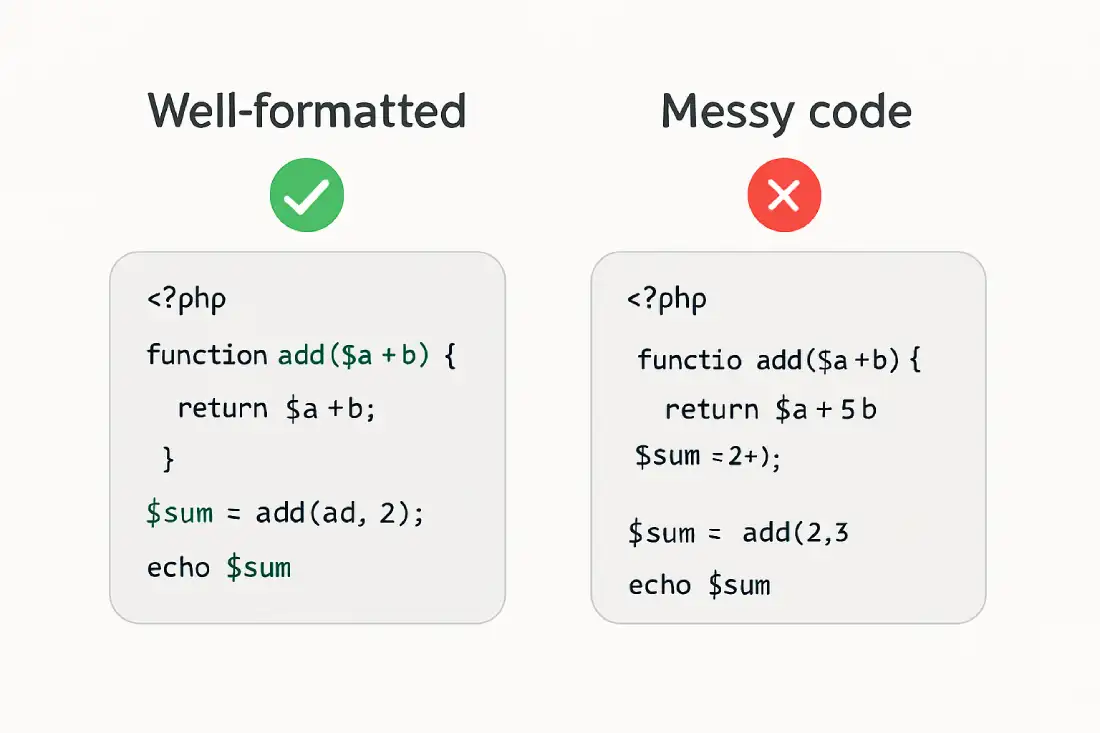
Following proper PHP coding standards is essential for writing clean, readable, secure, and maintainable code. Whether you are a beginner or an experienced developer, coding standards help you work faster, avoid errors, and collaborate effectively.

This complete guide explains PHP Coding Standards with clear rules, real examples, outputs, FAQs, and best practices.


What Are Coding Standards in PHP Programming

PHP coding standards are a set of rules and conventions that define how PHP code should be written and formatted.

They focus on:

  • Code readability
  • Consistency
  • Maintainability
  • Security
  • Team collaboration

Coding standards do not change how code works, but greatly improve how code looks and performs long-term.


Why PHP Coding Standards Are Important for Professional Development

Using proper coding standards provides many long-term benefits.

Key Advantages of PHP Coding Standards

  • Makes code easy to read and understand
  • Reduces bugs and logical errors
  • Improves collaboration in teams
  • Simplifies debugging and maintenance
  • Enhances application security

Professional PHP projects always follow strict coding standards.


PHP File Structure and Formatting Coding Standards

PHP Opening and Closing Tags

Best practice is to use only the opening PHP tag.

Example:

<?php
echo "Hello PHP";

Output

Hello PHP

Avoid closing PHP tags in pure PHP files to prevent unwanted whitespace issues.


PHP Naming Conventions for Variables Functions and Classes

Variable Naming Standard in PHP

  • Use meaningful names
  • Use camelCase for variables

Example:

$userName = "Amit";
echo $userName;

Output

Amit

Function Naming Standard in PHP

  • Use camelCase
  • Use action-based names

Example:

function getUserName() {
    return "PHP Online";
}

echo getUserName();

Output

PHP Online

Class Naming Standard in PHP

  • Use PascalCase
  • Class name should match file name

Example:

class UserProfile {
    public function show() {
        return "User Profile Loaded";
    }
}

$obj = new UserProfile();
echo $obj->show();

Output

User Profile Loaded

PHP Indentation and Code Formatting Best Practices

Proper indentation improves readability.

Indentation Rules

  • Use 4 spaces for indentation
  • Avoid tabs
  • Keep consistent formatting

Example:

if (true) {
    echo "Coding Standards Matter";
}

Output

Coding Standards Matter

PHP Commenting Standards for Clean Code

Comments should explain why, not what.

Single-Line Comment Example

// Display welcome message
echo "Welcome to PHP Online";

Output

Welcome to PHP Online

Multi-Line Comment Example

/*
 This function returns
 the website name
*/
function siteName() {
    return "phponline.in";
}

echo siteName();

Output

phponline.in

PHP Coding Standards for Control Structures

If Else Coding Standard

  • Use braces even for single lines
  • Keep conditions readable

Example:

$age = 20;

if ($age >= 18) {
    echo "Eligible to vote";
}

Output

Eligible to vote

PHP Coding Standards for Security Best Practices

Security is a critical part of coding standards.

Key Secure Coding Rules

  • Always validate user input
  • Escape output properly
  • Avoid using deprecated functions
  • Use prepared statements for databases

Example:

$name = htmlspecialchars("<script>");
echo $name;

Output

&lt;script&gt;

PHP PSR Standards Explained Simply

PHP-FIG defines PSR (PHP Standards Recommendations).

Common PSR Standards

  • PSR-1: Basic coding standard
  • PSR-4: Autoloading classes
  • PSR-12: Extended coding style guide

Following PSR standards ensures industry-level PHP code quality.


Real World Benefits of Following PHP Coding Standards

Practical Use Cases

  • Team-based development
  • Large PHP applications
  • Framework development
  • Enterprise-level projects
  • Open-source contributions

Coding standards help your code stay future-proof.


Best Practices for Maintaining PHP Coding Standards

Follow these professional tips:

  • Use meaningful names everywhere
  • Keep functions small and focused
  • Follow PSR-12 formatting rules
  • Review code regularly
  • Use automated code linters

Common Mistakes Developers Make with PHP Coding Standards

Avoid These Errors

  • Inconsistent naming styles
  • Mixing tabs and spaces
  • Writing long unreadable functions
  • Ignoring comments
  • Skipping input validation


Frequently Asked Questions About PHP Coding Standards

What is the best PHP coding standard

PSR-12 is the most widely accepted modern PHP coding standard.


Are PHP coding standards mandatory

Not mandatory, but essential for professional development.


Do coding standards affect performance

They mainly improve readability and maintenance, not execution speed.


Should beginners follow coding standards

Yes, learning standards early builds strong habits.


Can coding standards improve security

Yes, secure coding standards reduce vulnerabilities.


Final Conclusion on Coding Standard for PHP

PHP coding standards are the foundation of clean, secure, and professional PHP development. They help developers write better code, collaborate easily, and maintain applications efficiently.

By following the standards explained in this guide, you can write high-quality PHP code that meets industry expectations and grows with your career.

How to Fix WordPress’s White Screen of Death issue

Don’t be alarmed if you get a WordPress error message or a white screen. Someone has most certainly seen the identical warning before, and it is easily resolved.

This article highlights the most frequent WordPress issues that WordPress users encounter and gives a starting point for resolving them.

Both PHP failures and database issues can appear as a white screen, a blank screen with no information, sometimes known as the WordPress White Screen of Death in the WordPress community (WSOD).

Before resorting to extreme measures, consider the following causes of the WordPress white screen of death:

  • Compatibility problems are generated by a Plugin. If you can access the Administration Screens, try disabling and then reactivating all of your plugins one by one. Log in to your website through FTP if you are unable to access your Screens. Locate the plugins folder in wp-content/plugins and rename it plugins old. This will deactivate all of the plugins.
  • The issue might be created by your theme. This is especially probable if you’re getting the white screen of death after installing a new theme or creating a new site in a WordPress network. Log in to the WordPress Administration Panel and select a default WordPress theme to activate (e.g. Twenty Twenty-One). If you are using WordPress 5.8 or lower, please switch to the Twenty Twenty-One theme since the Twenty Twenty-Two theme requires WordPress 5.9 or higher. If you are unable to access your Administration Screens, head to the /wp-content/themes/ folder through FTP. Rename the current Theme’s folder.

WP DEBUG frequently provides extra information

define( 'WP_DEBUG', true );

How to Avoid WordPress’s White Screen of Death.

It is critical to take preventative actions in order to avoid the white screen of death in the future. Here are a few pointers:

Always make a backup of your website. Daily backups ensure that if your website ever goes down, you can immediately recover it.
Install only trusted plugins and themes. For every plugin and theme offered, all markets will include popularity figures, reviews, and the date of the most recent update. Choose only well-reviewed and often updated add-ons, since they are less likely to cause compatibility issues with your current configuration.

How to Fix Your WordPress White Screen

The WordPress white screen of death sounds scary, but we believe the name is a bit dramatic. The solutions provided above can resolve the problem and restore your website’s functionality.

If all else fails, contact your web hosting provider for a help, and proceed with carefully when making future modifications to your site.