
Table of Contents:
PHP Forms Required Fields Tutorial (Complete Guide with Examples)
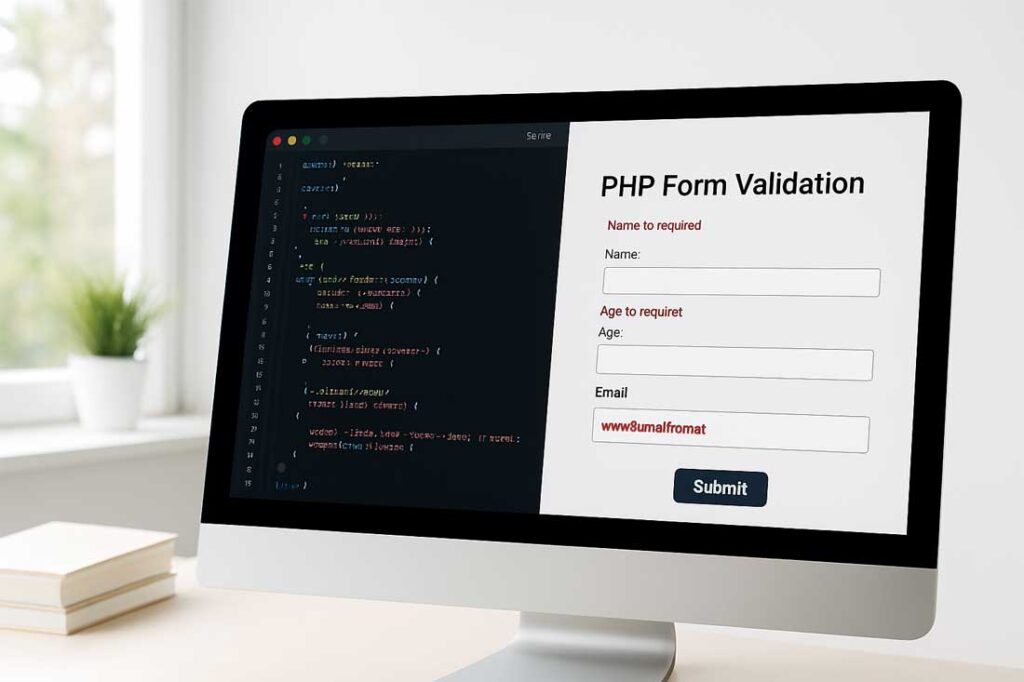
In web development, ensuring that a user fills out all necessary fields in a form is crucial. Whether you’re building a contact form, registration page, or survey form, PHP provides the tools to validate and enforce required fields efficiently.
This PHP Forms Required Fields Tutorial will guide you step by step through creating required fields for any HTML form and how to handle validation errors in PHP. You will also learn how to ensure users submit only complete and valid data.
Why Are Required Fields Important in PHP Forms?
Required fields are essential in forms as they ensure that the user provides necessary information before submission. They help prevent incomplete data submissions, ensure the accuracy of information, and improve the user experience by guiding users to submit relevant details.
For example, when building a registration form, fields like name, email, and password should be mandatory to complete the registration process.
HTML Form Elements and the required Attribute
One of the easiest ways to mark a field as required is to use the HTML required attribute. This method ensures that the field is validated on the client side before the form is submitted.
Example:
<form action="process_form.php" method="POST">
    <label for="name">Name:</label>
    <input type="text" id="name" name="name" required><br><br>

    <label for="email">Email:</label>
    <input type="email" id="email" name="email" required><br><br>

    <label for="password">Password:</label>
    <input type="password" id="password" name="password" required><br><br>

    <input type="submit" value="Submit">
</form>
This code will ensure that the name, email, and password fields cannot be left empty before the form is submitted.
While HTML required is useful for client-side validation, it’s not foolproof. Users can bypass this validation by disabling JavaScript or submitting the form using older browsers. This is why server-side validation with PHP is also necessary.
PHP Validation for Required Fields
PHP allows you to ensure that a user has provided input for all necessary fields on the server side. This is especially important for security and data integrity, as client-side validation can be bypassed.
Example: PHP Form Validation for Required Fields
Below is an example of how you can make the fields in your form required on the server-side using PHP.
<?php
// Define variables and set them to empty values
$name = $email = $password = "";
$nameErr = $emailErr = $passwordErr = "";

if ($_SERVER["REQUEST_METHOD"] == "POST") {
    // Check if the name field is empty
    if (empty($_POST["name"])) {
        $nameErr = "Name is required";
    } else {
        $name = test_input($_POST["name"]);
    }

    // Check if the email field is empty
    if (empty($_POST["email"])) {
        $emailErr = "Email is required";
    } else {
        $email = test_input($_POST["email"]);
        // Validate email format
        if (!filter_var($email, FILTER_VALIDATE_EMAIL)) {
            $emailErr = "Invalid email format";
        }
    }

    // Check if the password field is empty
    if (empty($_POST["password"])) {
        $passwordErr = "Password is required";
    } else {
        $password = test_input($_POST["password"]);
    }
}

function test_input($data) {
    $data = trim($data);
    $data = stripslashes($data);
    $data = htmlspecialchars($data);
    return $data;
}
?>
In the above code:
- If the user does not fill out a field, an error message is displayed.
test_input()sanitizes the user input to prevent malicious data from being processed.
Adding Error Messages for Required Fields
To display error messages for missing required fields, you can use PHP’s echo function. The error messages help guide users to correct the mistakes.
Example:
<form action="<?php echo htmlspecialchars($_SERVER["PHP_SELF"]); ?>" method="POST">
    Name: <input type="text" name="name" value="<?php echo $name; ?>">
    <span class="error">* <?php echo $nameErr; ?></span><br><br>

    Email: <input type="text" name="email" value="<?php echo $email; ?>">
    <span class="error">* <?php echo $emailErr; ?></span><br><br>

    Password: <input type="password" name="password">
    <span class="error">* <?php echo $passwordErr; ?></span><br><br>

    <input type="submit" value="Submit">
</form>
This displays the relevant error message next to the form field when a required field is left empty.
Advanced PHP Validation for Required Fields with Regular Expressions
In some cases, you may need to validate specific patterns (such as phone numbers, zip codes, or passwords) along with checking if the fields are required. Regular expressions (preg_match()) are very useful for this task.
Example: Using Regular Expressions to Validate a Phone Number
if (!preg_match("/^[0-9]{10}$/", $_POST["phone"])) {
    $phoneErr = "Invalid phone number. Please enter exactly 10 digits.";
}
This will ensure that the phone number entered by the user matches the required format.
Handling PHP Form Submission with Required Fields
After you’ve validated the required fields, you can process the form data. For example, you might save the data in a database or send it via email.
Example:
if ($nameErr == "" && $emailErr == "" && $passwordErr == "") {
    // Process form data (e.g., save to database or send email)
    echo "Form submitted successfully!";
} else {
    echo "Please fill in all required fields.";
}
Best Practices for PHP Form Validation with Required Fields
- Always validate both client-side and server-side.
Use HTMLrequiredfor quick client-side validation, but always implement PHP validation on the server side to ensure data integrity. - Display helpful error messages.
Let the user know which fields need to be filled out and why. - Sanitize input data.
Always clean user inputs using functions likehtmlspecialchars()andtrim()to prevent malicious data from being processed. - Use regex for complex validations.
For fields like phone numbers or passwords, use regular expressions to ensure the data matches the required format. - Test form data before processing.
Ensure all required fields are filled and validated before storing the data in a database or using it for further processing.
PHP forms required fields, PHP required field tutorial, PHP form validation, required field PHP example, PHP form handling, PHP form input validation, HTML required attribute, PHP form errors, PHP form submission
👉 Learn more about PHP Form Handling for processing form data after validation.
👉 Understand PHP Validation to secure your forms and prevent data errors.
👉 Explore PHP Sanitization techniques to prevent malicious code injection.
👉 Check out PHP Operators used to create conditional logic in your form validation process.
Frequently Asked Questions (FAQ)
Q1. What is the difference between required attribute in HTML and PHP form validation?
Answer: The required attribute in HTML prevents form submission if a field is empty, but it can be bypassed. PHP validation is done on the server side, ensuring data integrity and security regardless of client-side validation.
Q2. How do I make a field required in PHP?
Answer: In PHP, you can check if a field is empty using the empty() function and display an error message if the field is not filled.
Q3. What is server-side validation in PHP?
Answer: Server-side validation in PHP is the process of validating form data on the server using PHP scripts. This ensures that all required fields are filled out and that the data meets specific criteria before being processed or stored.
Q4. Can I make a field required using JavaScript?
Answer: Yes, JavaScript can be